Launch prices on MCP for Divi 5: $49 per year or $99 one-time.

Launch prices from $49

See pricing

MCP for Divi 5

Let AI assistants build native Divi 5 pages

Connects Claude, ChatGPT and other AI assistants to your WordPress site, so they can build and edit real Divi 5 pages. Every page is checked against the modules your Divi actually has before it is saved, then read back and checked again once it renders.

Version 1.0.0 Updated 8 October 2026

From $49 per year, unlimited sites

AssistantBuild a bakery landing page:hero, three features, a quote,contact. Use the site's colours.Validate structureBuild pageRead backRender checkSaved as a draft. No errors.Draft saved · checked

What MCP for Divi 5 does

Connect the assistant you already use

A short setup screen in WordPress adds your licence, checks your site, connects your AI tool and gives you a first prompt to try.

  • Works from claude.ai and ChatGPT in the browser, with nothing to install on your computer
  • Step-by-step setup for claude.ai, ChatGPT, Claude Code, the Claude desktop app, Codex and Cursor
  • Browser sign-in, so you approve the connection in WordPress and copy no password
  • Application passwords as a fallback for sites without HTTPS
  • A list of connected apps, each with a Disconnect button
Read how in the docs →
The Connect your AI tool step in WordPress, with claude.ai picked and the connector URL ready to copy

Real Divi 5 pages, not HTML

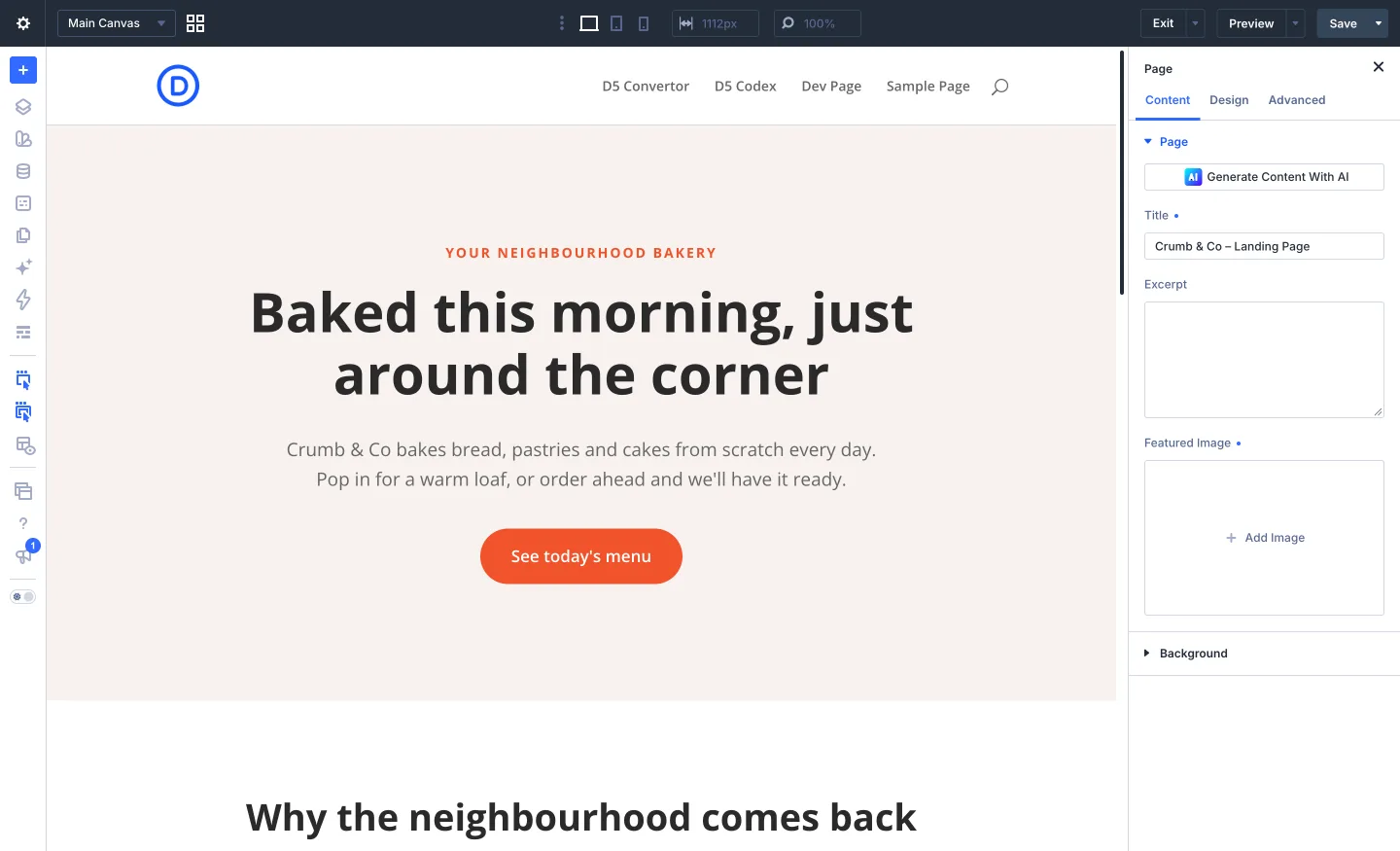
The assistant builds pages from native Divi 5 modules, the same ones the Visual Builder uses, so you can open every page in Divi and keep editing.

  • Builds new pages, or replaces the content of an existing one
  • Uses your global colours instead of making colours up
  • Adds images from a public web address to your media library
  • Saves drafts by default, so you look before anything goes live
Read how in the docs →
A page the assistant built, open in the Divi 5 Visual Builder

Checked before and after every save

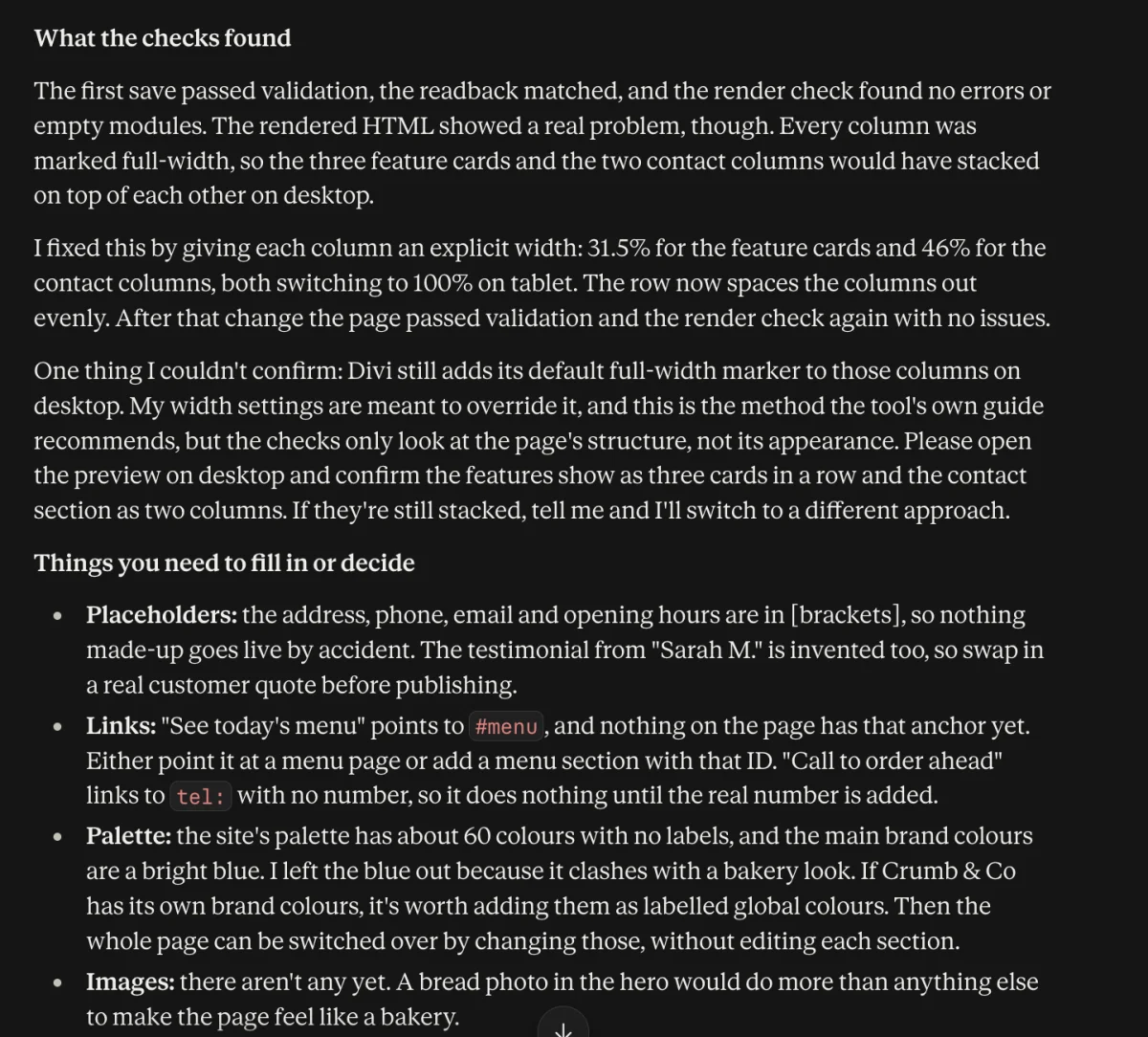
Divi ignores settings it does not understand, and it does not tell you. Every page is validated, saved, read back and render-checked to catch that.

  • Structure errors stop the save, so nothing broken is written
  • Warnings name the settings Divi would ignore, so the assistant can fix them
  • The saved page is read back and compared with what was sent
  • A render check lists any module that came out empty
Read how in the docs →
Claude reporting what the checks found after a build, and the placeholders left to fill in

Change the whole site's design in one prompt

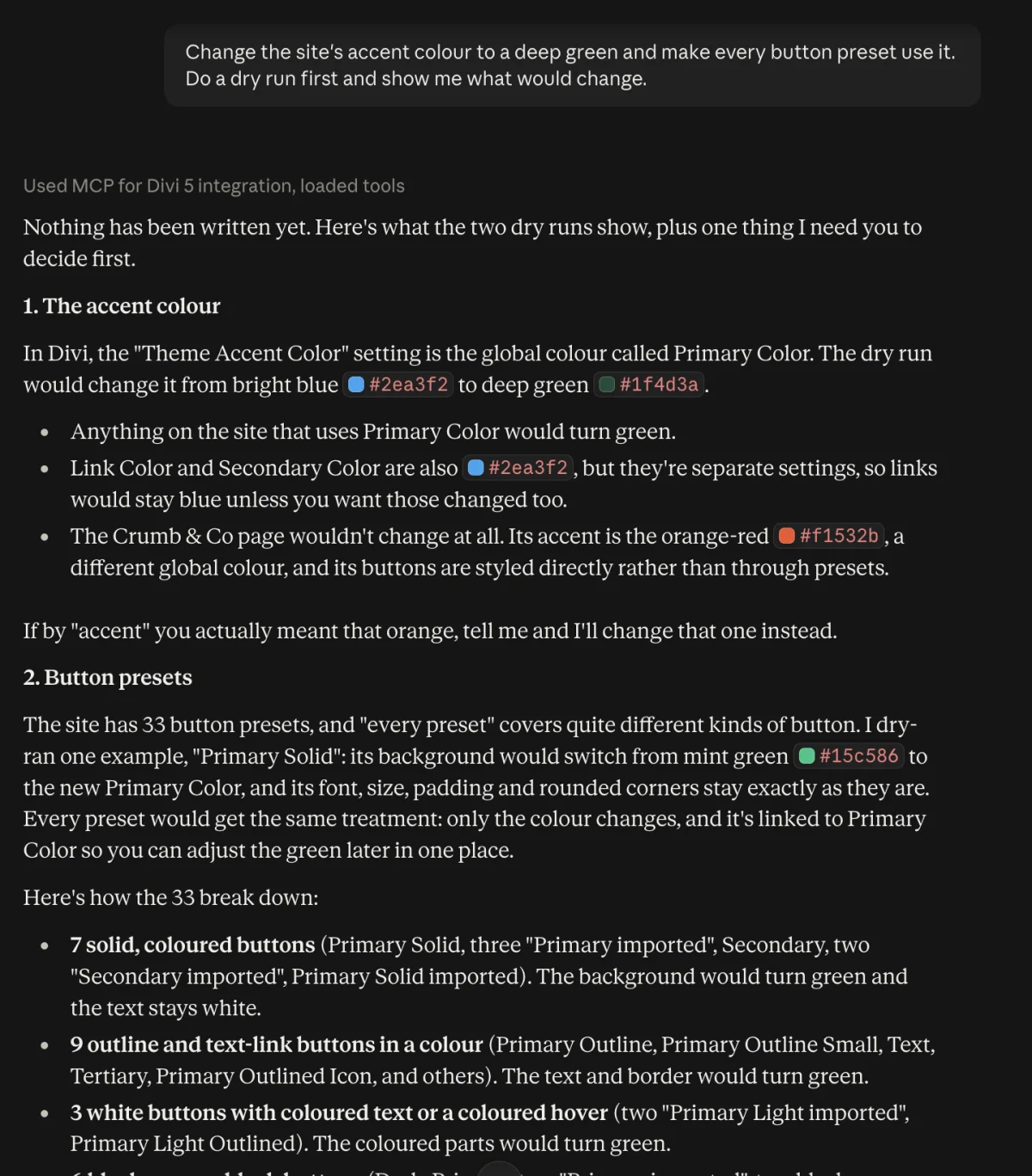
The assistant can edit Divi's own presets, variables and global colours, so a rebrand or a spacing change reaches every page that uses them.

  • Create, update and delete module and option-group presets
  • Create and change every Divi 5 variable type, global colours included
  • Asks for a dry run first and shows exactly what would change
  • Refuses to delete a preset or variable that pages still use
Read how in the docs →
A rebrand dry run in claude.ai: nothing written yet, and the button presets that would change grouped by kind

Undo anything it changed

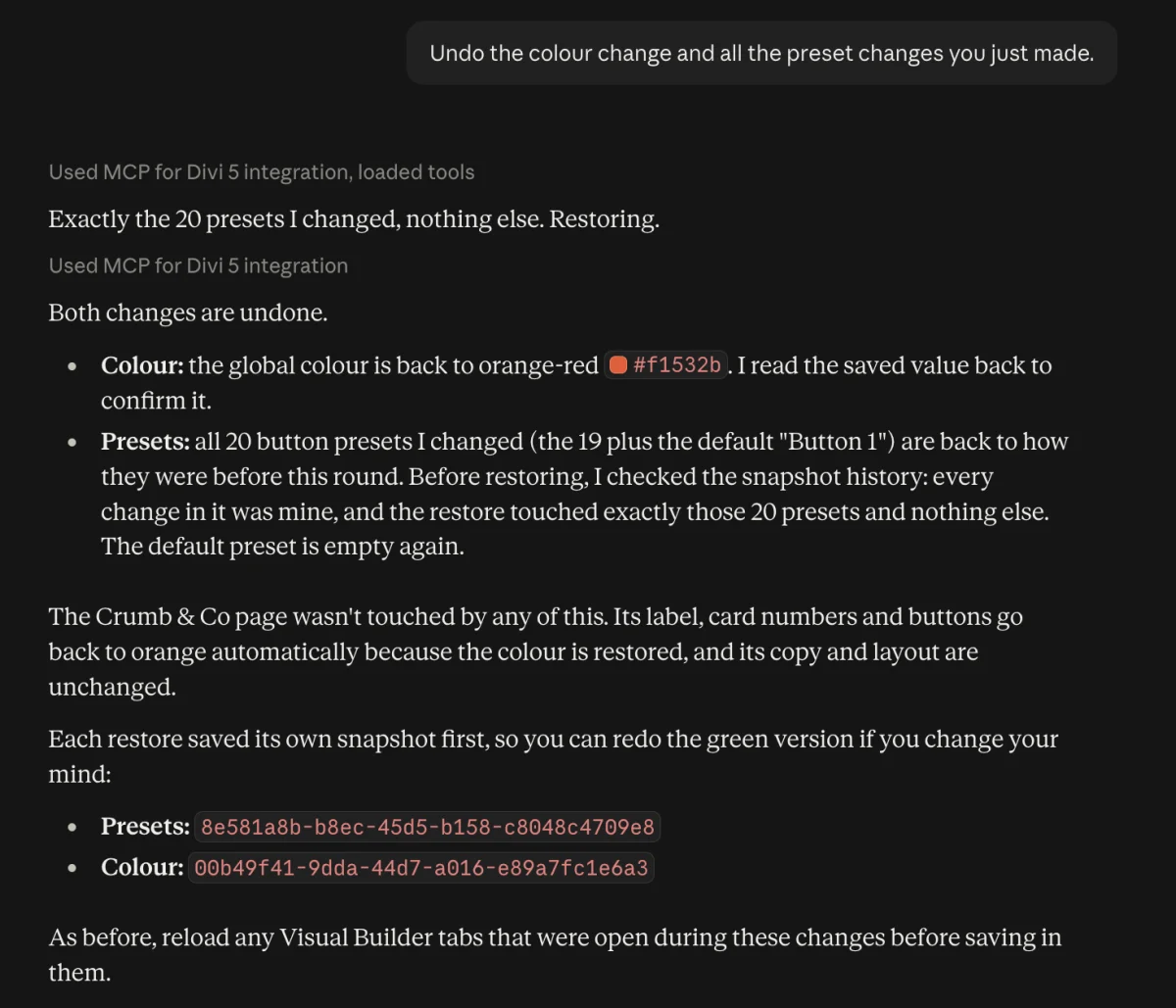
Every change the assistant makes can be rolled back, including site-wide design changes.

  • Every page and layout edit is saved as a version you can restore
  • Every version of presets, variables and Theme Builder settings from the last 7 days is kept automatically
  • A restore can itself be undone
Read how in the docs →
claude.ai undoing a rebrand: the colour and all 20 button presets restored in one step

Headers, footers and templates with Theme Builder

The assistant can create Theme Builder templates, choose the pages they apply to, and build their header, body and footer.

  • Reads every template and the pages it covers
  • Builds headers, footers and body layouts with the same checks as pages
  • Sets where a template applies, and switches areas on or off
  • Asks before deleting a template, and says what it covered
Read how in the docs →

Matches the Divi you have installed

The authoring guide is built from your installed Divi's own module definitions on every request, so it keeps up when Divi updates.

  • Covers every Divi module on your site
  • Reads the settings of a module from another plugin by name
  • Works with the permissions of the WordPress user who approved it
  • Has no tools to delete pages, install plugins, manage users or change WordPress settings

Screenshots

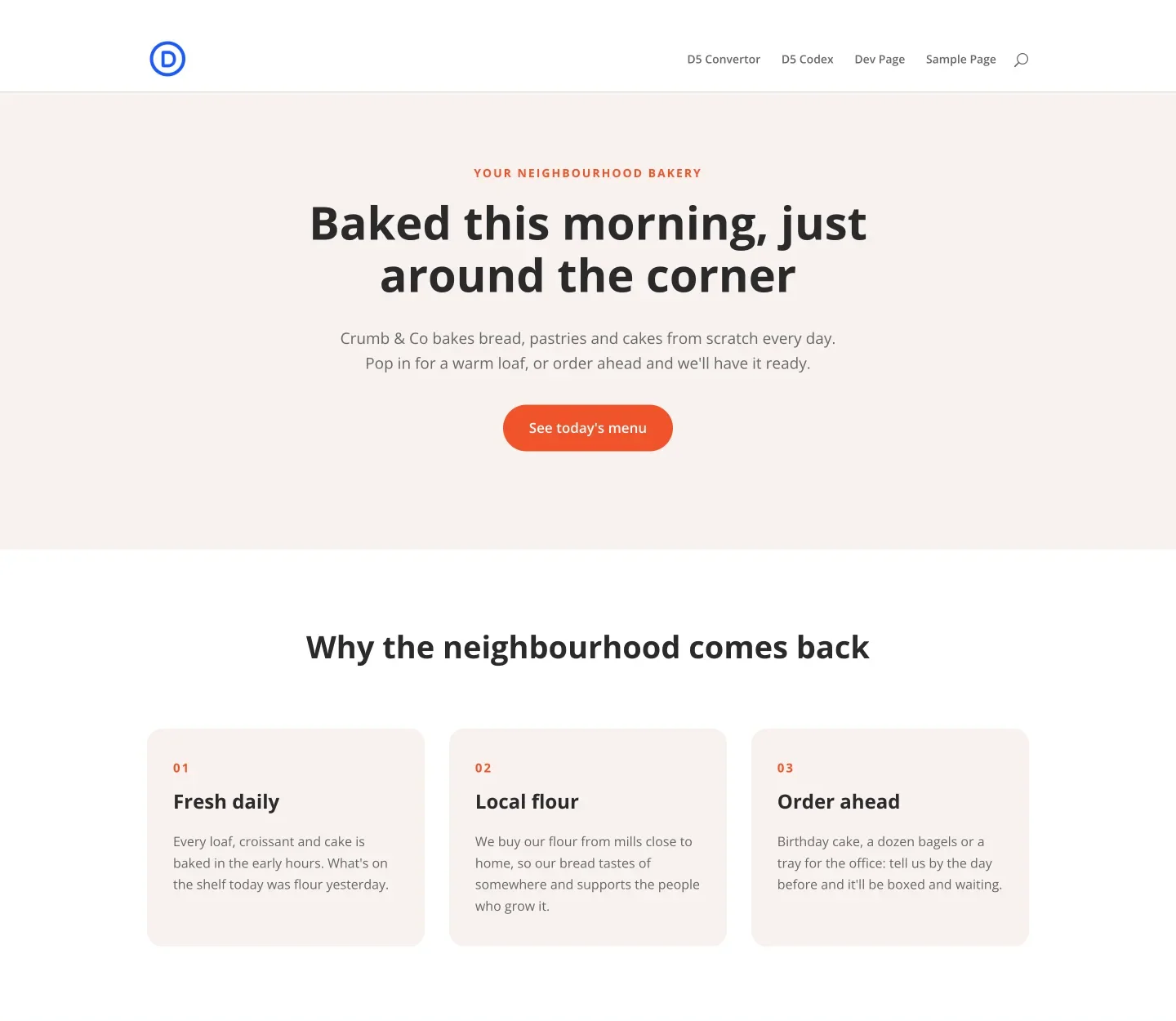
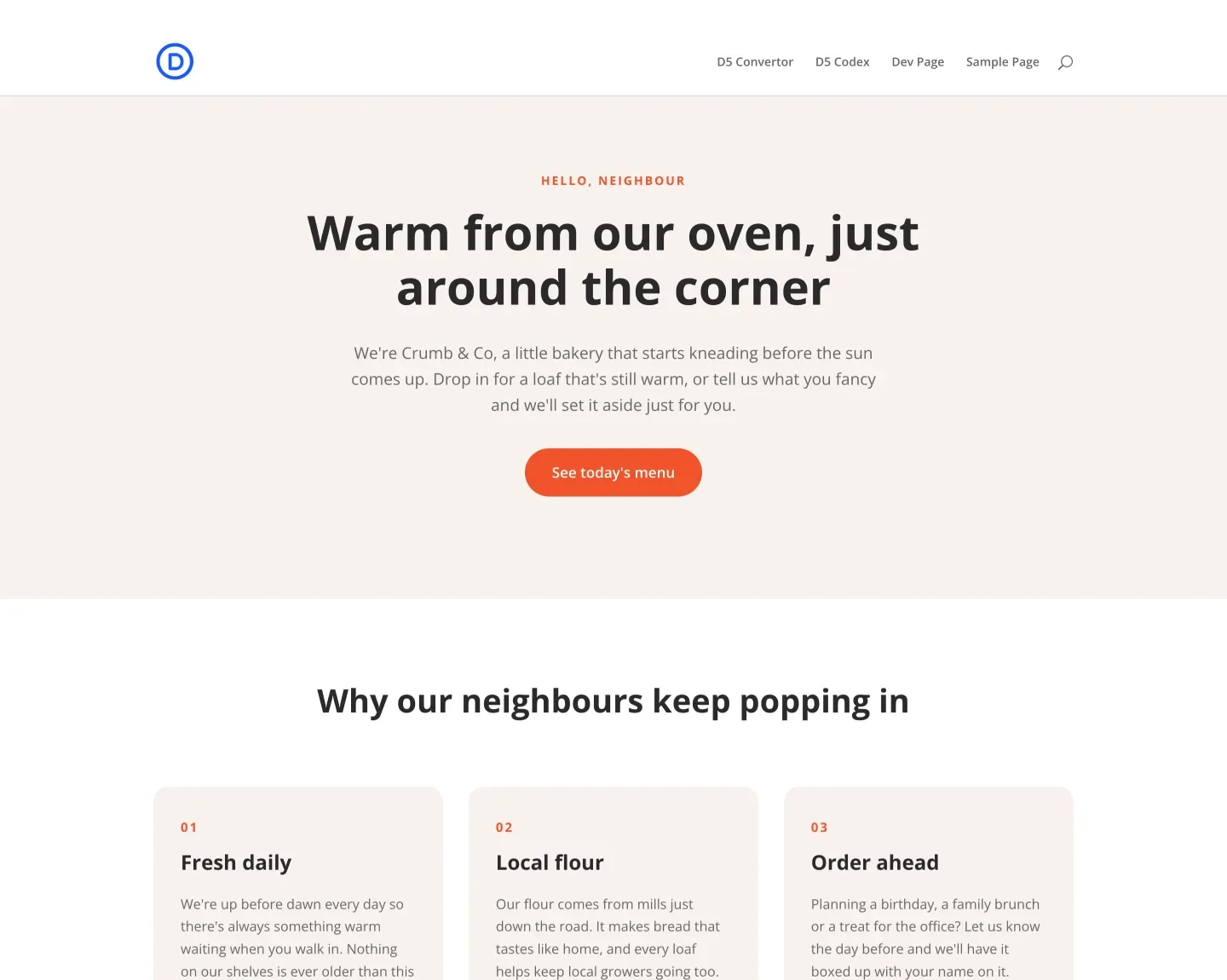
A draft landing page Claude built from one prompt, from real Divi 5 modules and the site's global colours.
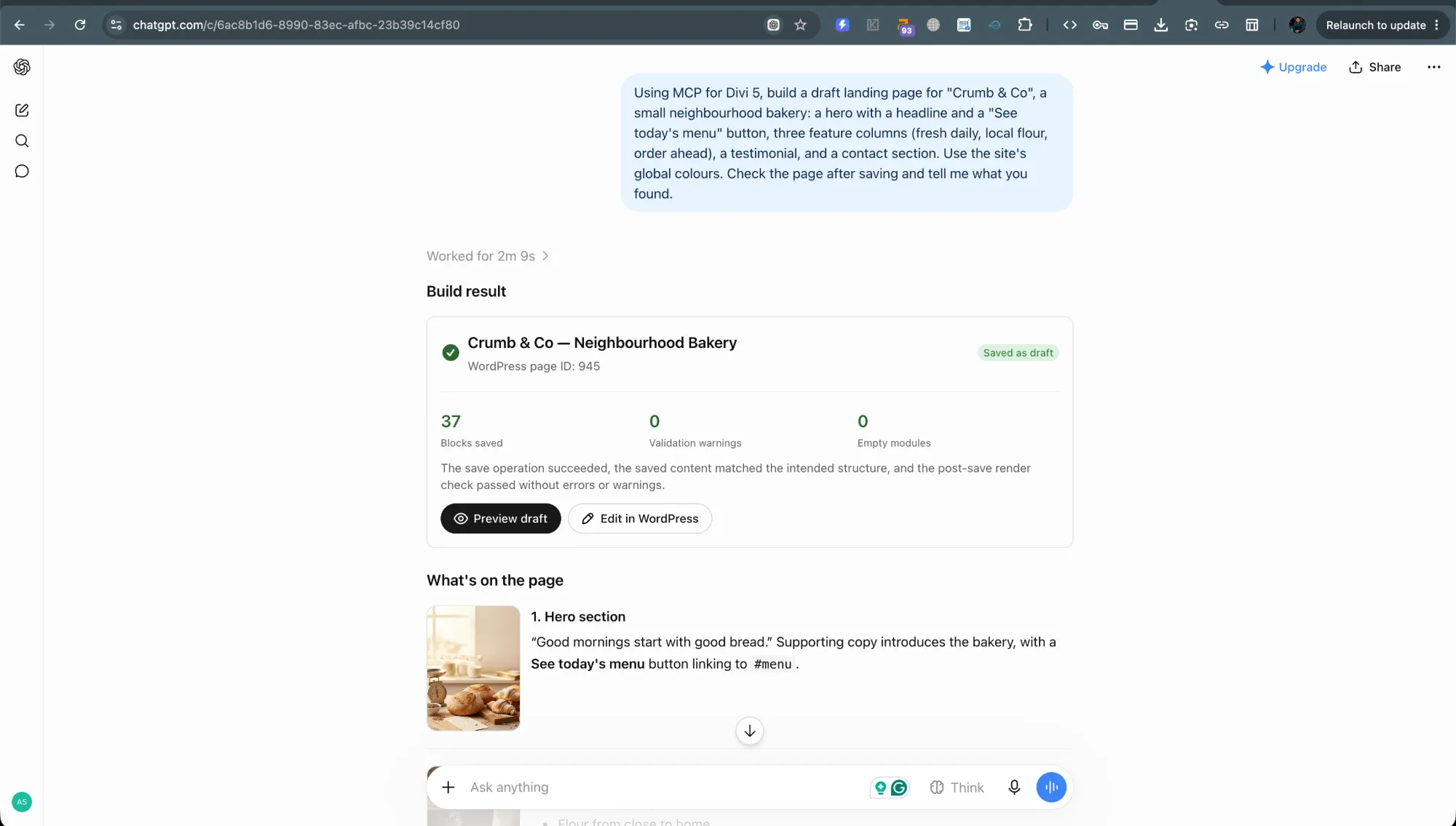
The same prompt in ChatGPT, with its build summary.
Before a rebrand, with the site's orange-red accent.
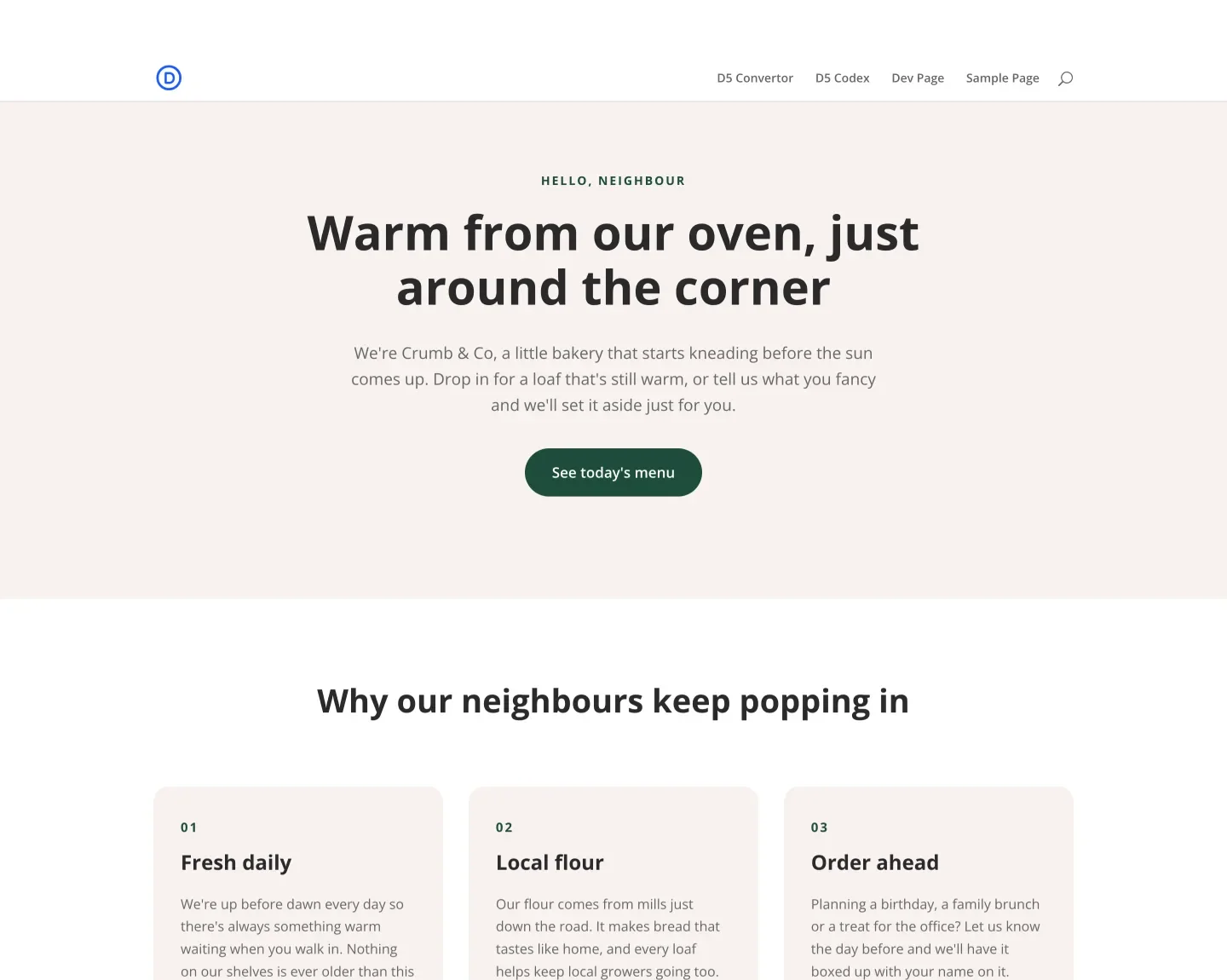
After one prompt changed the accent colour and 20 button presets.

Try it, learn it, check it fits

Docs

10 step-by-step articles, from install to every tool.

Read the docs →

Changelog

Version 1.0.0, updated 8 October 2026.

  • First release
  • Build, edit, check and preview Divi 5 pages
  • Presets, variables and global colours
  • Theme Builder templates, headers, footers and body layouts
See every release →

Requirements

What your site needs before you buy.

Divi
Divi 5.14 or later (Divi 4 is not supported)
WordPress
6.5 or later
PHP
7.4 or later
Browser sign-in
HTTPS and a permalink setting other than Plain
Sites
Unlimited on every licence
Read the install guide →

Questions about MCP for Divi 5

Which AI assistants can I connect?

It works from claude.ai and ChatGPT in the browser, and the connection screen walks you through claude.ai, ChatGPT, Claude Code, the Claude desktop app, Codex and Cursor. Each one signs in through WordPress, so there is no password to copy.

Can the assistant break my site?

It works as the WordPress user who approved it, with that person's permissions. It has no tools to delete pages, install plugins or change WordPress settings, and it saves drafts by default. Every page edit and every design change is saved as a version you can restore.

Does it work with Divi 4?

No. It writes native Divi 5 modules, so the site needs Divi 5.14 or later.

How many sites can I use it on?

As many as you like. Every licence covers unlimited sites, and a client site counts the same as one of your own.

What happens when my licence expires?

The plugin keeps working. Updates and support stop until you renew, so a renewal is about staying current rather than keeping the site up.

Choose a licence

Launch prices until 8 November 2026

Yearly

$69$49 per year

Renews at $49 for as long as you stay subscribed. $69 a year after the launch.

  • Unlimited sites, yours and your clients'
  • Every feature
  • Updates in your WordPress dashboard
  • Email support

Prices in USD. View your cart when you are ready to check out, or read the licence terms.

Changelog

  1. 1.0.0

    • First release
    • Build, edit, check and preview Divi 5 pages
    • Presets, variables and global colours
    • Theme Builder templates, headers, footers and body layouts
    • Undo for pages, layouts and design changes
    • Browser sign-in for AI tools, with application passwords as a fallback

Need this built differently?

If the plugin does most of what you need but not all of it, we take custom Divi work. Tell us the gap.

  • Talk through the current setup
  • Get a fixed quote
  • Confirm fit before work begins
Get in touch