
How to rewrite a Divi 5 page's copy with AI without changing the design
Most copy edits on a Divi page are fiddly, not hard. You open the builder, click into each module, retype, and check nothing moved. An AI assistant connected to your site can do the whole page in one go and leave the design alone.
This guide uses MCP for Divi 5 with claude.ai. ChatGPT works the same way. The example page is Crumb & Co, a made-up bakery on a test site.
Before you start
Connect claude.ai or ChatGPT to your site with MCP for Divi 5. How to build a Divi 5 landing page with Claude or ChatGPT covers the setup.
Step 1: Ask for the rewrite, and say what must not change
Name the page, describe the tone you want, and say the design stays as it is:
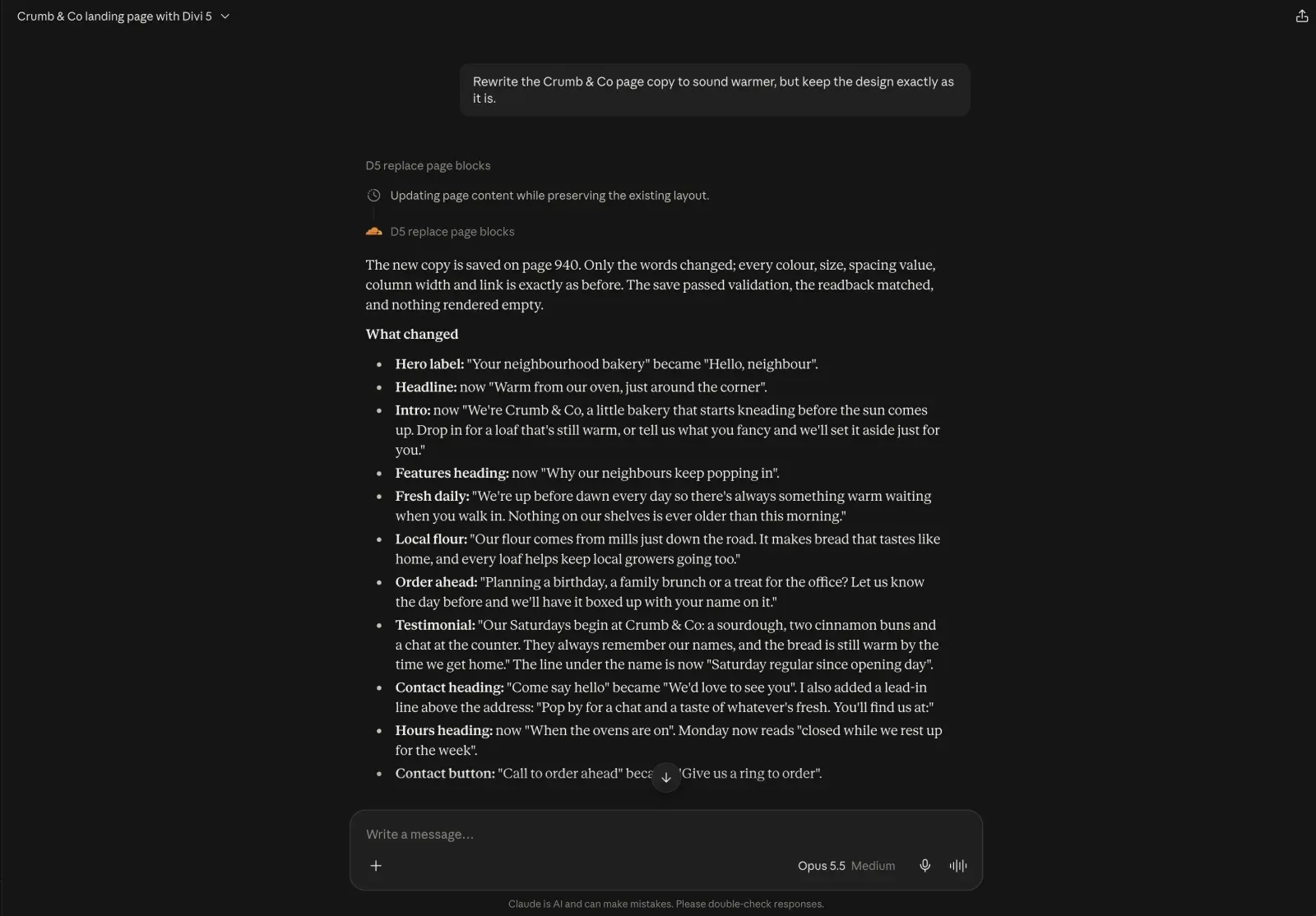
Rewrite the Crumb & Co page copy to sound warmer, but keep the design exactly as it is.
Step 2: Read the list of changes
Claude came back with every line it changed. “Your neighbourhood bakery” became “Hello, neighbour”. The headline went from “Baked this morning, just around the corner” to “Warm from our oven, just around the corner”. The call button went from “Call to order ahead” to “Give us a ring to order”.
Read it the way you would read a copywriter’s draft. Anything you don’t like, ask for again.
Step 3: Check the design didn’t move
Open the page and compare it with the version before.
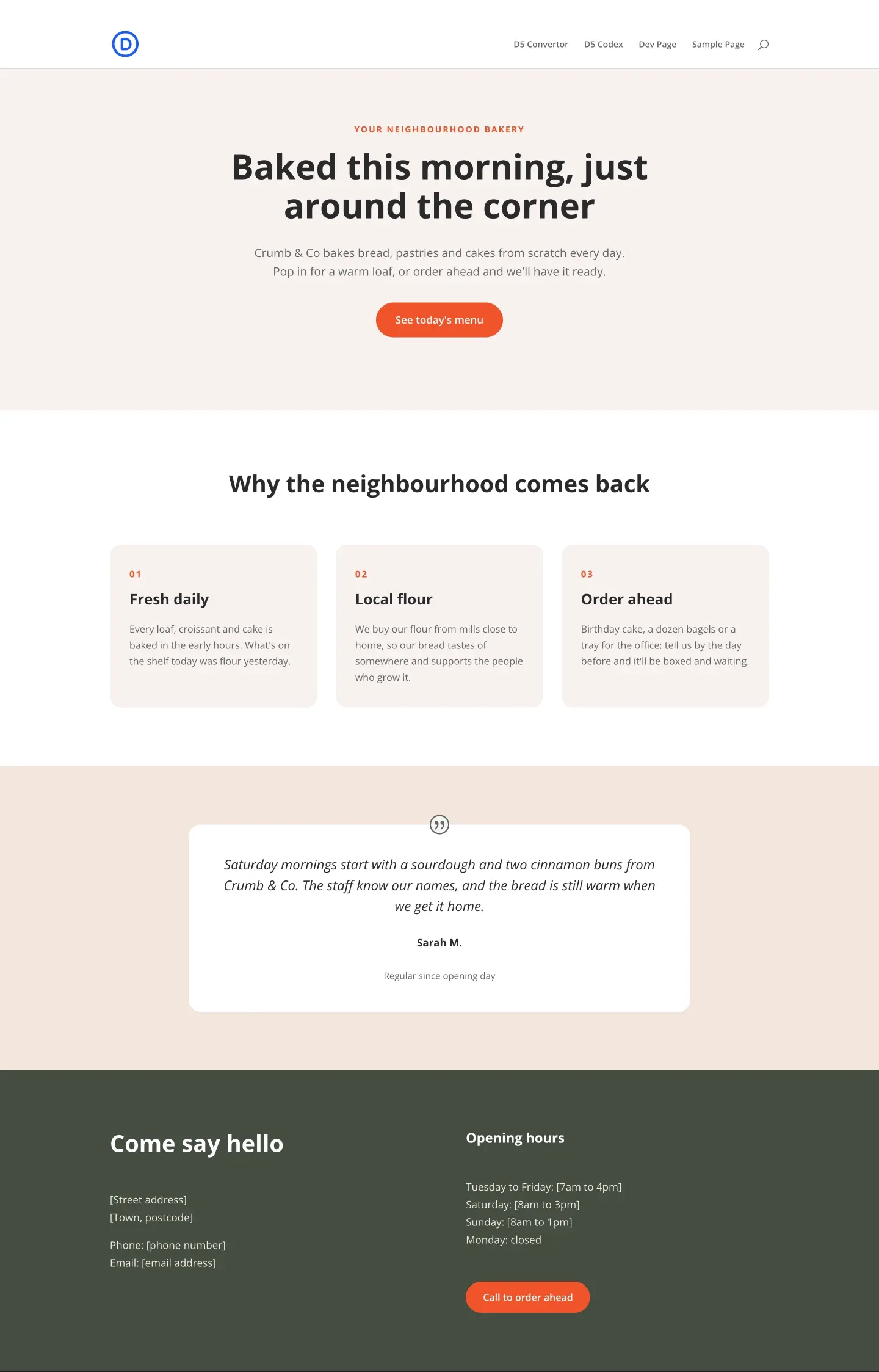

We checked this one block by block, with every piece of text taken out. All 37 blocks matched: every colour, every spacing value, every column width and every link was identical. Only the words had changed.
Step 4: Roll back if you don’t like it
Every edit the assistant makes is saved as a WordPress revision and marked as coming from the AI. Ask the assistant to restore the earlier version, or do it yourself from the page’s Revisions screen. How to undo AI changes on a Divi 5 site shows both.
Rewriting a page used to mean an hour in the builder. Now it’s one prompt and a careful read of what came back.



Submit a comment
Comments are read before they appear. Your email is not published.
Thanks. Your comment is waiting for review and will appear here once it is approved.