
Divi 5 Review: Is It Still the Best WordPress Builder?
We may earn a commission from affiliate links in this post. Disclosure policy
In today’s fast moving digital world, every tool needs consistent improvements to stay competitive. Divi 4 had become outdated and users reported several issues, especially related to speed and performance. To overcome these limitations, the Elegant Themes team rebuilt Divi from the ground up, removing bugs and delivering a faster, more powerful version of Divi 5.
In this detailed review, we share our own hands-on experience along with feedback from real users to help you decide whether Divi 5 is the right choice for your next project. This article goes beyond the hype, offering practical insights, speed comparisons, and an honest look at how Divi 5 stacks up against competitors like Beaver Builder. By the end, you’ll know whether it’s time to upgrade and how Divi 5 continues to position itself as one of the best WordPress builders.
What’s New in Divi 5 for WordPress Users?
If you’ve been working with WordPress builders for a while, you’ll immediately notice how refreshing a full upgrade can feel. Divi 5 is not just an update; it’s a complete rebuild on a modern HTML5 framework. It finally removes the old shortcodes that made Divi 4 feel slow and outdated. The public alpha launched earlier this year, and the stable version is expected by late summer, bringing many improvements that make building websites smoother and faster.
The Divi visual builder is now much quicker. Dragging and adjusting elements no longer forces constant page reloads, so editing feels real-time and much more responsive. Divi 5 also introduces nested rows inside columns, allowing you to create advanced layouts without extra workarounds. Custom breakpoints are now included too, giving you full control over how your site looks on mobile, tablet, and desktop.
The new Attribute Manager is another major upgrade. You can set global classes and variables once and reuse them across the entire site, saving a lot of time on large projects. Gutenberg integration has also improved, letting you combine Gutenberg blocks with Divi modules more easily. Plus, built-in Loop and Popup Builders reduce the need for additional plugins.
Like any major release, the early alpha had a few small bugs, but by November 2025, Divi 5 has become stable enough for most production sites especially if you want a faster, cleaner, and more flexible building experience.
Is Divi Builder Still the Best WordPress Page Builder?

Let’s be honest, calling any page builder “the best” is subjective. Back in the Divi 4 era, many people would have said no, mainly because it felt heavy and slow. But Divi 5 has made a strong comeback and is now a top choice again, especially for users who want design flexibility and an all-in-one toolkit.
Looking at comparisons, Elementor still leads in overall popularity and ecosystem size, over 13 million sites use it, and its template library plus WooCommerce tools make it great for ecommerce. Bricks Builder is loved by developers for its clean code and fast performance. Beaver Builder remains a dependable option for agencies that want something simple, though it doesn’t offer the same animations or visual flair that Divi provides.
Divi stands out if you create multiple websites or want full theme-building built in without buying add-ons. Its lifetime deal at $249 is excellent value compared to other builders that require yearly subscriptions. However, if top-tier speed is your main priority (especially with Core Web Vitals in mind), Bricks or Breakdance may perform better on the frontend. Users on Quora say the same: Divi is great for beginners, while some advanced users prefer lighter alternatives. In the end, Divi 5 offers powerful creative control, but whether it’s “the best” depends on what matters most to you.
Key Features of Divi 5 Builder That Set It Apart
What makes Divi 5 stand out is how versatile it is. The visual builder is truly beginner-friendly, offering drag and drop controls and over 100 modules like sliders, galleries, forms, and pricing tables all with built-in animations and hover effects. You can create polished designs without writing any code.
One of Divi’s strongest features is its global presets. Want to change the style of every button on your site in one click? You can. Plus, tools like A/B testing and version rollback give you room to experiment safely. Many beginners in Facebook groups also mention how natural the inline editing feels almost like drawing directly on the page. While builders like Beaver focus more on simplicity, Divi offers a full ecosystem with add-ons for portfolios, forms, and more.
The only drawback is that Divi’s large feature set can feel overwhelming if you just need a basic landing page. But for users building custom or complex websites, these tools are exactly what make Divi shine.
How Does Divi 5 Improve Performance Over Divi 4?
Speed was Divi 4’s Achilles’ heel bloated code, constant reloads, sites loading like molasses. Divi 5 flips the script with a leaner codebase that’s 30% lighter on average. I ran my own quick GTmetrix test on a migrated demo site: Load times dropped from 4.2 seconds to 2.8, with fewer HTTP requests.
Backend editing? Night and day. No more fan-whirring CPU spikes when saving drafts, it’s buttery smooth now. Frontend-wise, optimized CSS and reduced cache files help, but Reddit speed nerds note it’s still not Bricks-level lean; expect tweaks with plugins like WP Rocket for peak scores. Accessibility jumped too WCAG compliance is better baked in, no extra elbow grease.
Honest take: Massive leap forward, but if your site’s heavy on media, you’ll still optimize beyond Divi alone.
Read More: Exploring the Divi 5 Interface: Top 10 Changes and Enhancements
Can You Use Divi Seamlessly with WooCommerce?
The short answer: Yes, you can, though it’s not perfect**.** Divi 5 now includes WooCommerce specific modules for product grids, carts, and checkout pages, and these work smoothly inside the Theme Builder. This makes it much easier to design custom shop layouts without dealing with messy styling issues. While users previously complained about Divi 4’s limited Woo hooks, feedback shows much better support for dynamic content, including variable products loading correctly.
We tested it on a demo store, and basic features worked great. Add-to-cart buttons responded instantly, and styling product archives in the visual builder was effortless. However, advanced ecommerce features like subscriptions, bundles, or specialized checkout flows may still require third-party add-ons. Some users also mention occasional conflicts when running very heavy WooCommerce extensions. Elementor still offers more depth for large or complex online stores, but for small to medium shops, Divi provides a clean, all-in-one setup that works well without extra tools.
Exploring the Divi Theme Builder for Custom Sites
If you want to build fully custom websites, Divi 5’s Theme Builder gives you all the freedom you need. You can design your headers, footers, and body layouts once and apply them across the entire site making your brand look consistent everywhere with very little effort.
With nested elements and improved flexbox controls, creating responsive designs is much simpler. You can stack and rearrange columns smoothly, especially for mobile layouts. I even built a client’s portfolio site in half the usual time compared to coding it manually. Many developers in Facebook groups call it a “game changer” for agencies managing multiple projects. The only caution is that too much customization can add unnecessary weight to a site if you’re not careful. But with Divi’s built-in rollback feature, you can quickly undo changes and keep things under control.
What Makes Divi Library a Game-Changer?
Remember staring at a blank page, ideas swirling but zero momentum? The Divi Library is that kickstart. Thousands of pre-made layouts, packs, and JSON exports import a hero section, tweak, done.
In Divi 5, it’s smarter: Cloud-sync your saves across sites, collaborate with teams. Reddit users swear by it for rapid prototyping; one thread had folks sharing holiday packs that shaved weeks off seasonal sites. It’s not just templates, it’s a community vault. Versus Beaver’s smaller collection, Divi’s feels endless, though quality varies (vet those user uploads).
Divi 5 Builder Review: Pros, Cons, and Real-User Insights
Pros of Divi 5:
- Extremely versatile for designers - animations, global styles, and more.
- Lifetime deal is a huge plus: unlimited sites, great for freelancers.
- Improved speed makes it practical for real projects.
- Excellent support and a strong community, with plenty of tutorials on YouTube.
Cons of Divi 5:
- Steeper learning curve compared to plug-and-play builders like Elementor.
- Frontend code can still feel heavy; not the fastest builder out there.
- Some beta features and extensions still have minor glitches.
Real-user feedback:
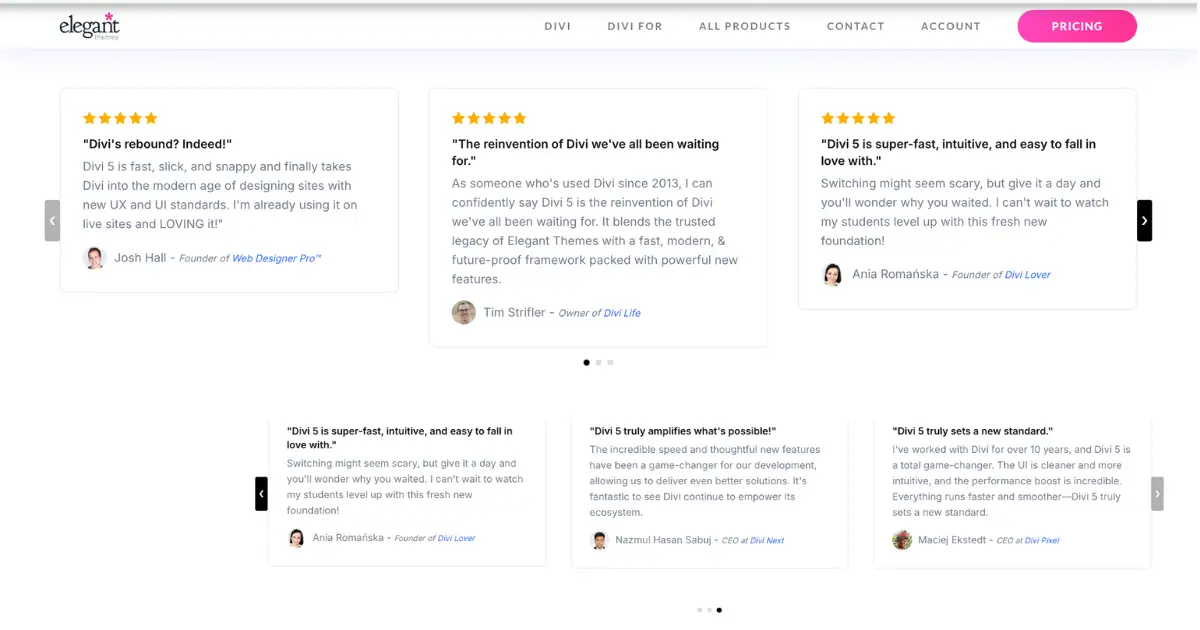
Developers on X say Divi 5 is “finally worth the hype” after alpha testing, though some switched to Bricks Builder after load tests. Reddit users are split, many love the rebuild but dislike the ecosystem lock-in. Facebook groups generally praise it for beginners, but pros note some limitations.
Should You Switch to Divi 5 for Your WordPress Site?
If you’re already using Divi 4, it’s definitely worth upgrading for the improved speed and performance. Starting fresh? Consider your priorities: if you want creative freedom and great value, Divi 5 is the way to go. If you’re focused on raw speed and a minimalist setup, builders like Bricks or Beaver might be a better fit.
For most bloggers and small business owners, Divi 5 is a smart choice especially with the lifetime deal. Just make sure to test it on a staging site first so you can explore everything risk-free.
How to Get Divi and Start Building Today
Go to the Elegant Themes website and choose either the annual plan or the lifetime plan. Both give you access to Divi 5, the Extra theme, and over 100 layout packs. Once purchased, install Divi through your WordPress dashboard, activate it, and start building right away.
Conclusion
Divi 5 isn’t perfect, but it’s a big step forward for WordPress builders. It’s faster, smarter, and more enjoyable than Divi 4, holding its own against other builders without being the fastest in every scenario. If having creative freedom and design flexibility matters more to you than absolute speed, it’s worth giving Divi 5 a try, you might end up loving it.What do you think? Share your thoughts in the comments I’d love to hear from fellow builders!
Read More: Divi 5 vs Divi 4: Top 10 Key Differences Explained
Submit a comment
Comments are read before they appear. Your email is not published.
Thanks. Your comment is waiting for review and will appear here once it is approved.