
WordPress for Beginners: WordPress Explained for Beginners
We may earn a commission from affiliate links in this post. Disclosure policy
If you are a beginner trying to understand WordPress, you are in the right place. Many people hear the word every day but still ask the same questions: What is WordPress? What is WordPress used for? Is WordPress free? How does it work? And why do so many websites use WordPress?
This guide explains WordPress for beginners in simple language. By the end, you will understand the WordPress meaning, how a WordPress website works, why WordPress is an open-source content management system, and why it remains one of the most popular ways to create a website today.
What Is WordPress?
WordPress is a content management system that helps people create, edit, and manage a website without building every page from scratch. In plain words, WordPress is software that gives you a system for publishing content online.
More specifically, WordPress is an open-source platform. That means the software is public, flexible, and supported by a huge WordPress community around the world. When people say WordPress is an open-source platform, they mean anyone can use it, improve it, and build on it. This is one reason WordPress is the most popular and widely used website platform in the world.
Another simple way to say it is this: WordPress is a platform that helps users build a site, publish content, and manage everything from one place. It started as a blogging platform, but WordPress also powers business websites, portfolios, media sites, learning platforms, and e-commerce stores.
If you want a Divi-focused explanation too, read What Is Divi WordPress.
WordPress as a Content Management System
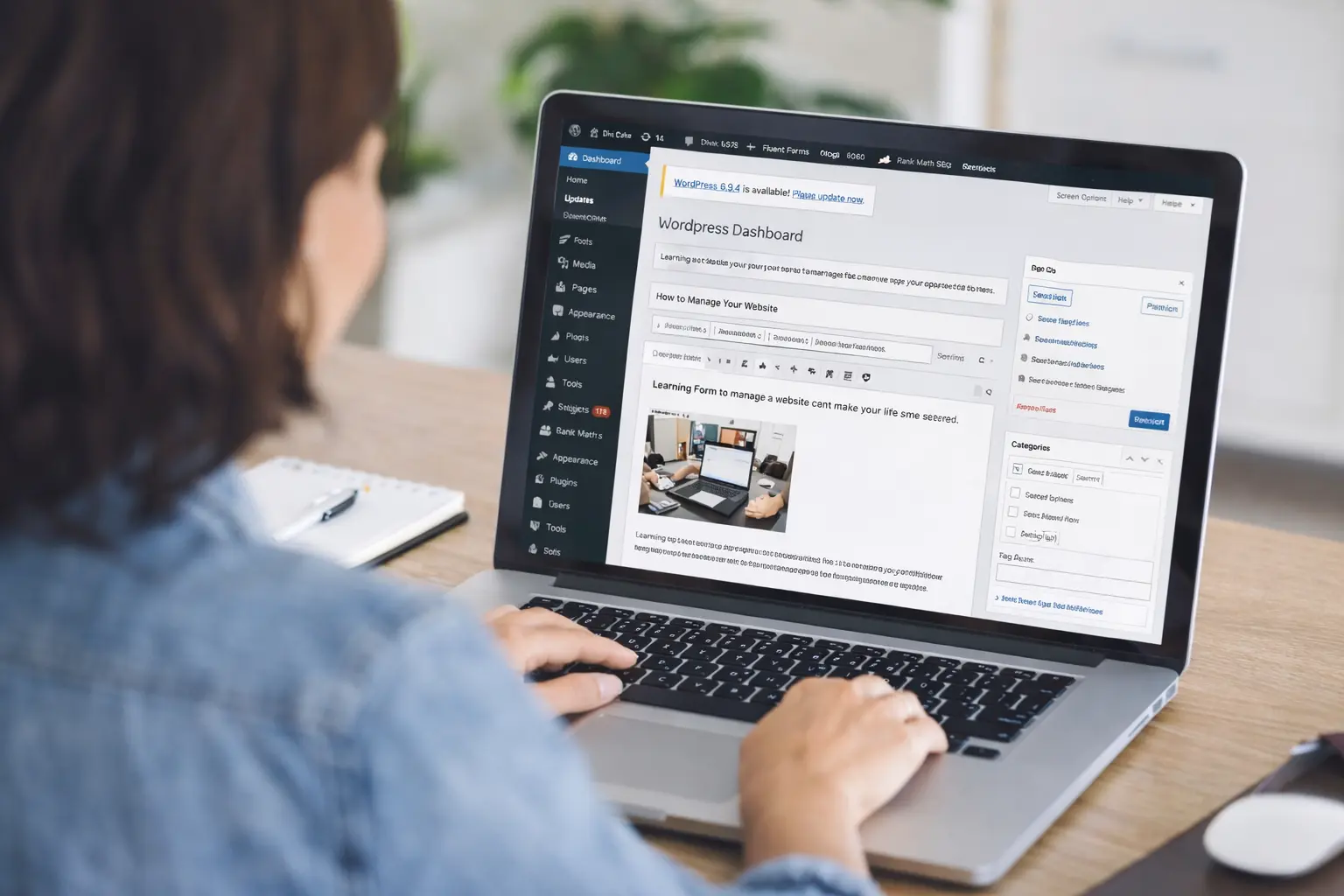
To understand WordPress, you first need to understand what a content management system is. A content management system is software that helps people create and manage digital content. Instead of editing code line by line, users work from an admin area where they can create pages, write blog posts, upload images, and adjust settings.
That is why WordPress is called an open-source content management system. It gives normal users, business owners, bloggers, and even a developer a much easier way to run a website. Because it is an open-source system, WordPress allows deeper customization than many closed website builders.
In short, WordPress provides a way to build and manage a site through a visual interface, while still giving advanced users the freedom to customize more deeply when needed.
WordPress.org, WordPress.com, and the Main Difference
One of the biggest points of confusion for a beginner is the difference between WordPress.org and WordPress.com.
WordPress.org is the self-hosted version. This is where you can download WordPress, choose your own hosting service, install your own plugins, and use any WordPress theme you want. When most people talk about building a serious website with WordPress, they usually mean WordPress.org.
WordPress.com is a hosted service. It is easier in some ways because the company handles part of the setup for you, but it also comes with more limits depending on the plan.
So when people compare WordPress.org and WordPress.com, the main question is freedom versus convenience. If you want more control, more plugins, and more design freedom, WordPress.org is usually the better choice. If you want a more packaged solution, WordPress.com may feel easier at first.
If you are comparing platforms more broadly, you can also read WordPress Alternatives.
How Does the WordPress Dashboard Work?
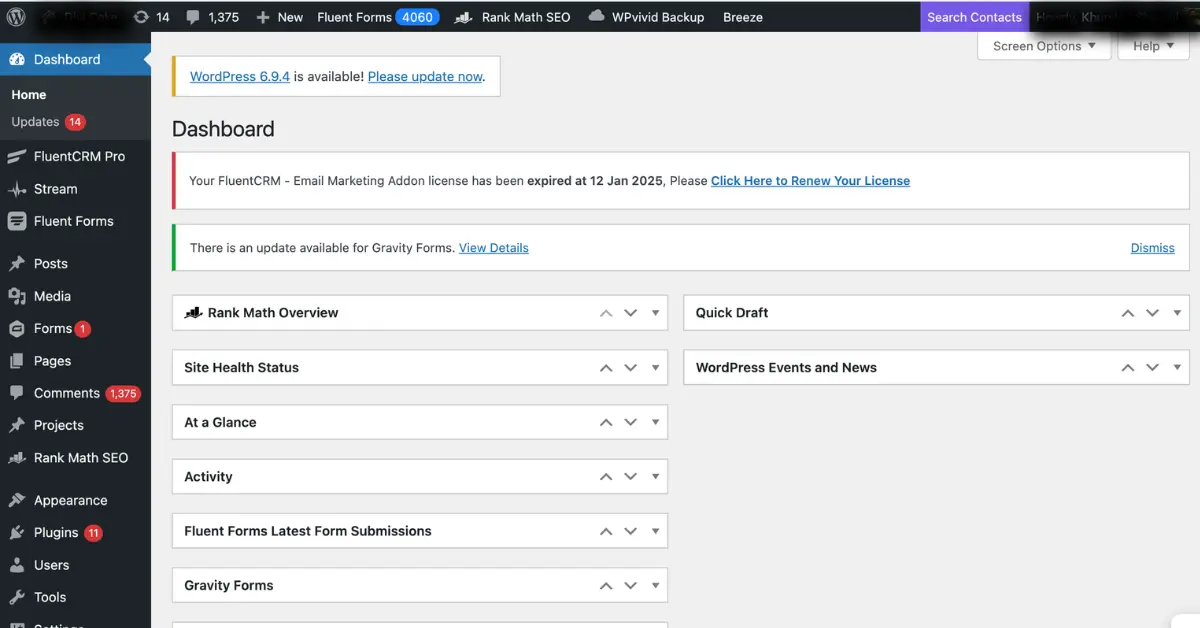
Once you install WordPress, you get access to the WordPress dashboard. The dashboard is the control center of your site. This is where you create posts, pages, menus, and media, and where you manage settings, comments, plugins, and design.
The WordPress dashboard is one of the reasons WordPress makes website management easier. You do not need to edit every file manually. Instead, you can log in and make changes from one central place.
This is why WordPress is so useful for people who want a website without doing everything through code. Although WordPress is flexible enough for a developer, it is also built for ordinary users.
How to Install WordPress
To install WordPress, you usually need a domain name and WordPress hosting. Most hosts now make the process simple with one-click install tools. After you choose a plan, your host can help you install WordPress in just a few minutes.
Good WordPress hosting matters because your host affects speed, uptime, backups, and security. A better hosting service can also make setup easier for a beginner.
If you want help choosing the right host, read Best Hosting Options for Divi and WordPress and What to Look for in a Divi Host.
What Type of Websites Can WordPress Make?
A common question is: websites can WordPress make?
The answer is simple. WordPress can be used to create almost any type of website. You can build a WordPress blog, a company site, a portfolio, a membership site, a landing page system, a directory, or an online store. With plugins like WooCommerce, WordPress becomes a strong e-commerce solution as well.
So if you are wondering what a WordPress website is, it could be almost anything. A WordPress site might be a personal blog, a digital magazine, a service business site, or a custom store. Many of the websites you visit every day are powered by WordPress.
That flexibility is one reason websites use WordPress at every level, from small personal brands to major media companies.
WordPress Themes, Plugins, and Customization
A big part of the functionality of a WordPress website comes from plugins and themes. A WordPress theme controls the design and layout of the site. Plugins add features.
For example, one plugin may help with backups. Another may improve SEO. Another may add a contact form. Other plugins can support page building, speed, analytics, and security. This is why people often talk about plugins and themes together. They shape both the look and the features of a site.
There are thousands of WordPress plugins available. In fact, one of the strongest features of WordPress is that you can expand the site without rebuilding it from scratch. WordPress offers an easy path from a simple blog to a much more advanced website.
If you want design flexibility on top of WordPress, Divi users may also enjoy WordPress with Divi: The Perfect Website Combination.
Is WordPress Free?
Yes, WordPress is free to use. You can download WordPress and use the core software without paying for it. That is why people often say free WordPress or WordPress for free.
But there is an important detail. While the software itself is free, building a full website may still cost money because you may need a domain name, WordPress hosting, a premium theme, or paid plugins.
So the honest answer is this: WordPress free refers to the software, not every part of running a site.
Because WordPress is an open-source system, the core software remains free to download and use. That is one reason WordPress is the best long-term option for many people who want flexibility without vendor lock-in.
WordPress Security and SEO
Two important topics for any website owner are WordPress security and SEO.
Let us start with SEO, or search engine optimization. WordPress is well known for being SEO-friendly. It gives you clean content structure, flexibility, and access to plugins that help with titles, meta descriptions, schema, sitemaps, and more. That does not mean WordPress does SEO by itself, but it gives you a strong foundation.
On the security side, WordPress security depends on good habits. Keeping your site updated, choosing reliable plugins, using strong passwords, and picking a good host all matter. The latest WordPress release often includes improvements, so staying on the current WordPress version is important. A secure site is not about fear. It is about simple maintenance.
If you want more help with optimization, DiviCake also has content like Yoast vs Rank Math vs All in One SEO and Is Divi Good for SEO.
WordPress Is Written in PHP
For people who want a slightly deeper answer, WordPress is written in PHP and works with a database to store your content and settings. You do not need to know PHP to use WordPress, but it helps explain why the platform is flexible and extendable.
You may hear developers say it is written in PHP or talk about server-side logic. That simply means WordPress uses a popular web language to run many of its features behind the scenes. This is another reason WordPress supports a huge ecosystem of tools, themes, and plugins.
Why WordPress Is So Popular
There are many reasons WordPress continues to lead the market.
First, WordPress makes website creation accessible. It allows users to publish content without deep technical knowledge. Second, WordPress is open-source, which gives people more freedom. Third, the huge library of plugins and themes makes it easy to add features and grow over time.
You can start with a simple website or blog and expand later. A small business may begin with just a few pages, then later add forms, SEO improvements, a mailing list, advanced design tools, and even e-commerce features. Because WordPress empowers users at every level, it remains a popular CMS and a popular content management platform worldwide.
This is also why many people say WordPress is the best fit for beginners who want room to grow.
What Are the Main Functions of WordPress?
The main functions of WordPress are simple. It helps users publish content, organize pages, manage media, control design, and expand site features through plugins.
But the real power of WordPress is how all those functions come together. It lets people create and manage a website from one place. It gives site owners more control over customization, content, and growth. And it works for more than one type of website.
That is why WordPress software is used by bloggers, agencies, brands, educators, nonprofits, and store owners alike.
Is WordPress Good for Beginners?
Yes, WordPress is good for beginners. A beginner may need a little time to learn the basics, but WordPress is still much easier to use than building a site from scratch with pure coding.
Although WordPress can look big at first, the basics are simple. You log in, create pages, choose a design, install a few helpful plugins, and publish your content. That is enough to launch a site.
And because the software is open-source, anyone can use it, improve it, and learn from the huge number of tutorials available online.
Conclusion
WordPress explained for beginners really comes down to this, WordPress is software, WordPress is a platform, and WordPress is an open-source tool that helps people build websites more easily.
If you were asking what WordPress is, now you know that it is an open-source software and content management system that helps users publish and manage content online. If you were asking what WordPress is used for, the answer is blogs, business sites, portfolios, landing pages, and online store websites. If you were asking how WordPress works, the answer is that WordPress combines hosting, themes, plugins, and content into one system that is much easier than doing everything with manual coding.
That is why WordPress is the most popular website platform for so many people. It is flexible, powerful, and still beginner-friendly. Whether you want to create a website, launch a WordPress blog, or build a custom business site, WordPress gives you the tools to get started.If you want to go further, your next good reads are What Is Divi WordPress, WordPress with Divi: The Perfect Website Combination, and Best Hosting Options for Divi and WordPress.
Submit a comment
Comments are read before they appear. Your email is not published.
Thanks. Your comment is waiting for review and will appear here once it is approved.