
9 Best Premium Divi Child Themes for Divi Users
We may earn a commission from affiliate links in this post. Disclosure policy
If you use Divi often, you already know the real time drain: getting a site to look finished. The layout might look nice, but you still end up rebuilding the same things again and again. A strong homepage, service sections, trust blocks, blog styling, and for WooCommerce sites, a shop that doesn’t feel like default WooCommerce.
That’s why premium Divi child themes are worth considering. A good child theme doesn’t just change colors. It gives you a complete website starting point with ready pages, consistent styling, and demo content you can import in minutes. Then you simply swap in your own text, images, and branding.
Below are 9 premium Divi child themes we’d actually use for real projects, including agency websites, business sites, ecommerce stores, and creative portfolios.
1) Molly SEO, Social Media and Marketing Divi Child Theme
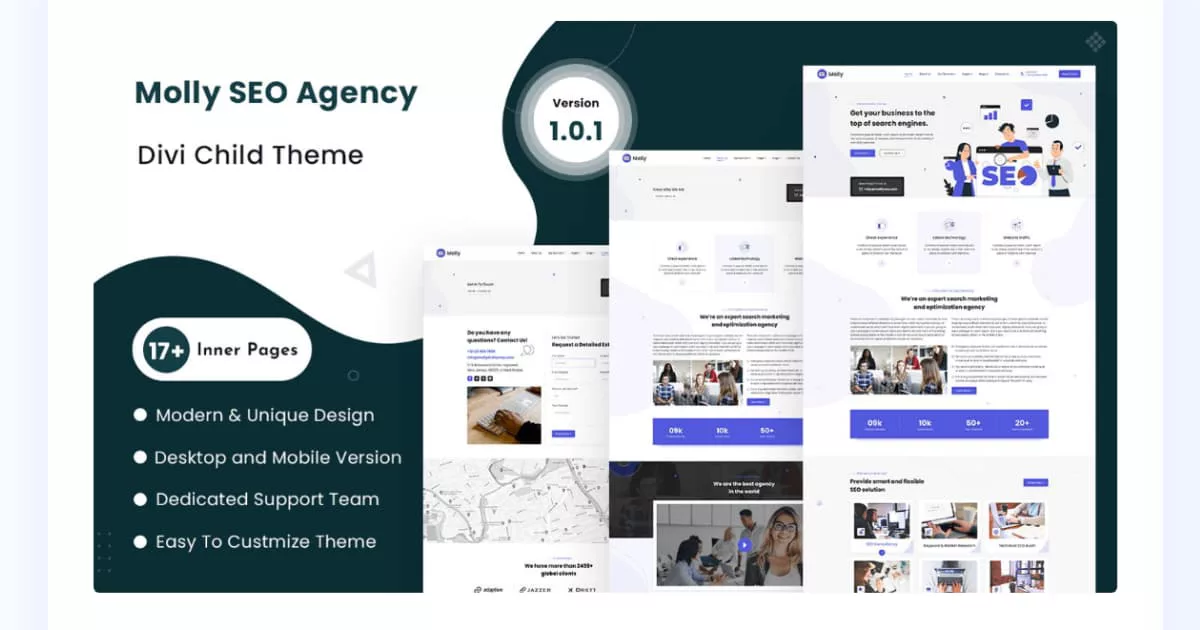
Molly Child Theme is a strong pick for SEO agencies, social media marketers, and digital marketing teams that need a site built for leads. The layout is made to present services clearly, highlight results, and push visitors toward a call, form, or consultation. It’s also a good fit for freelancers who want an agency style website without building every page from zero.
Because everything is built with Divi modules, we can edit the design fast inside the Divi Builder, without custom code. After importing the demo, you simply replace text and images, add your case studies or testimonials, and the site starts feeling like a real marketing business instead of a blank template.
Key Features of Molly Theme
-
Agency-ready homepage layout: Built to highlight SEO services, marketing offers, and client results quickly.
-
Services sections: Makes it easy to list SEO, PPC, social media, content, and marketing packages.
-
Case studies / success story areas: Helps you show wins, metrics, and client proof in a clean way.
-
Global header & footer: Keeps menus, branding, and CTAs consistent across all pages.
-
Divi modules only: Everything is built with Divi modules so editing is simple.
-
No coding required: You can adjust text, images, and layout using the Divi Builder.
-
Mobile-friendly design: Layouts are designed to look good on phones and tablets.
-
Fast and lightweight styling: Clean design approach for better speed and user experience.
-
One-click demo import: Start with demo pages and replace content instead of building from scratch.
-
Documentation + support: Useful when setting up or importing the theme.
Live Demo: check out live Demo Now.
Pricing of the Molly
Currently listed at $21 (often discounted, we’ve seen it shown at $16.80 during sales).
2) Supreme Store Premium Ecommerce Child Theme
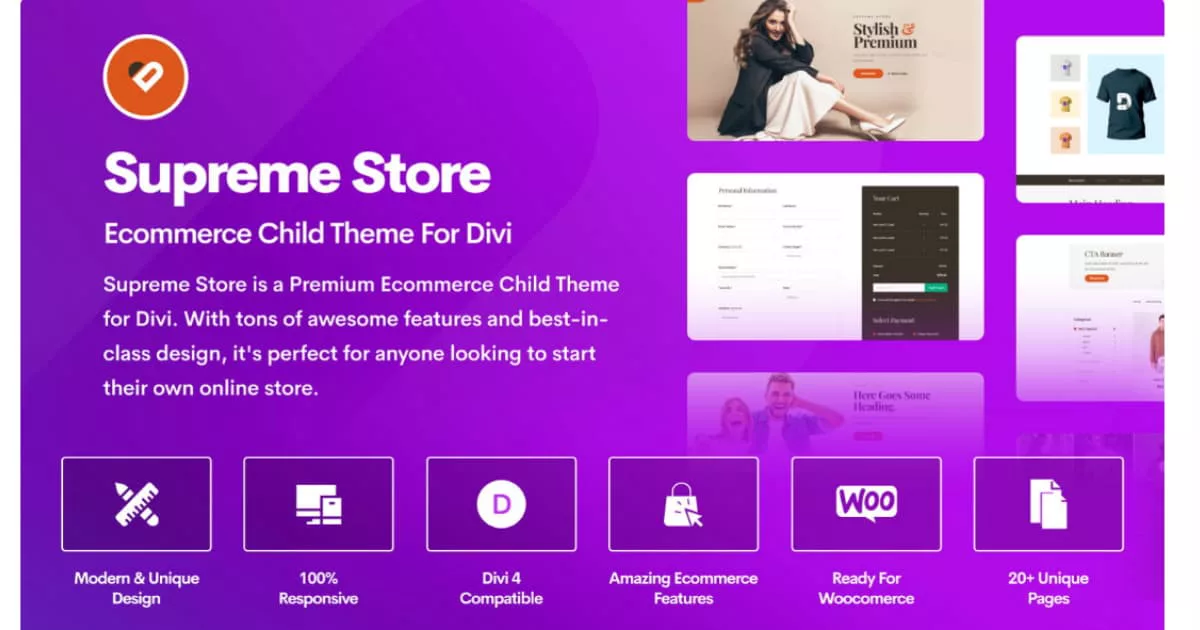
Supreme Store Child Theme is designed for Divi users who want a clean WooCommerce shop that looks professional right away. It’s a great fit for boutiques, fashion, accessories, beauty products, and general ecommerce stores where design and product browsing matter. The theme helps your store feel organized, branded, and easy to shop from the first page.
Instead of spending days styling shop pages, you can start with the demo structure, add your products, and adjust colors and fonts to match your brand. It’s built to keep the shopping flow simple, which usually helps customers move from product browsing to cart and checkout with fewer distractions.
Key Features of the Supreme Store
-
WooCommerce ecommerce child theme: Designed specifically for online stores built with WooCommerce.
-
Storefront-style design: Gives your shop a professional first impression for products and collections.
-
Styled templates for store pages: Helpful for store landing pages, product archives, and category pages.
-
Cart & checkout styling: Helps your cart/checkout look more modern than default WooCommerce pages.
-
Product archive layouts: Makes browsing feel cleaner and easier for customers.
-
Responsive design: Store layouts stay readable on mobile, tablet, and desktop.
-
Customization-friendly: You can adjust sections, fonts, and spacing using Divi settings.
-
Lightweight layout approach: Designed to look good without heavy design clutter.
-
Made for small + big stores: Works for boutique shops and larger catalogs.
-
1 year updates & support (Marketplace standard): Helpful for ongoing compatibility.
Divi Supreme Store Child Theme: Check out Live Demo Now
Pricing (Supreme Store)
Listed at $29 on the Divi Marketplace. Get Supreme Store Child Theme Now
3) Divi Cart Pro, WooCommerce Child Theme
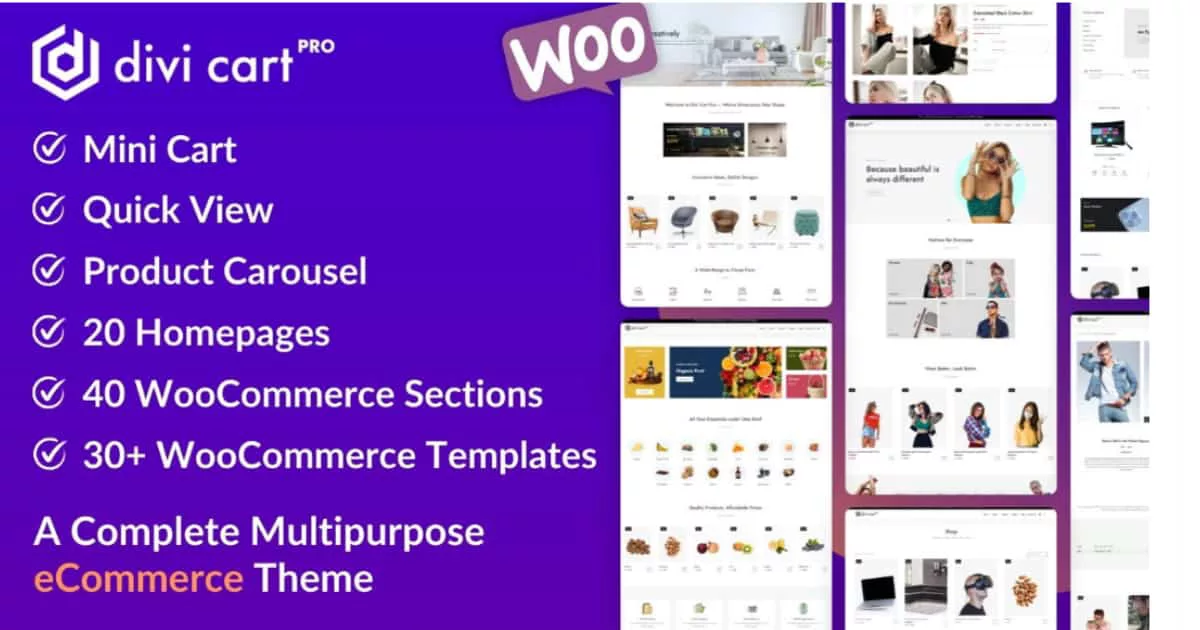
Divi Cart Pro Child Theme is a strong pick when the store needs more than basic WooCommerce styling. This theme is built for ecommerce and includes built-in shop tools, layouts, and templates that make the whole store feel more custom.
Where Divi Cart Pro Divi Child Theme stands out is how it supports real shopping behaviore. Many customers want quick access to what’s in their cart and easy browsing without constant page loads. Features like the mini cart, product carousel, and category styling can help shoppers stay engaged and move faster from browsing to checkout.
This theme is also ideal when we sell different product types. Instead of using one product layout for everything, Divi Cart Pro offers multiple layout options so your store doesn’t feel repetitive. That matters if you sell categories like clothing, accessories, digital products, or bundles because each product type can benefit from a slightly different layout.
If you’re building a store that needs a polished cart and checkout experience, this theme can save a lot of time. We can start with the provided templates, then adjust typography, colors, and layout spacing to match the brand without redesigning the ecommerce pages from scratch.
Key Features of the Divi Cart Pro Theme
-
4 built-in shop modules: Includes a Mini Cart, Custom Shop Module, Product Carousel, and Categories module.
-
Mini Cart module: Lets shoppers view items fast without constantly opening the cart page.
-
Custom Shop module: Helps you build custom product grids with more control than default layouts.
-
Product Carousel module: Perfect for featured products, best sellers, related products, and homepage sliders.
-
Categories module: Shows product categories in a cleaner, more clickable layout.
-
20 homepage layouts for stores: Multiple homepage styles so your shop doesn’t look “same as everyone.”
-
Cart & checkout templates: Ready designs for cart and checkout pages without custom code.
-
Product page layout options: Useful if you sell different product types and want unique product pages.
-
Extra sections included: Section layouts help you promote offers, collections, and discounts easily.
-
One click import: Import the demo and replace content quickly.
Divi Cart Pro Child Theme: Check out Live Demo Now
Pricing of the Divi Cart Pro
Listed at $39 (with 1 year support/updates + marketplace guarantee in your provided notes). Get Divi Cart Pro Now
Learn More: Divi Child Themes for WooCommerce Websites
4) Molti Ecommerce, Modern Multipurpose Business + Ecommerce Child Theme
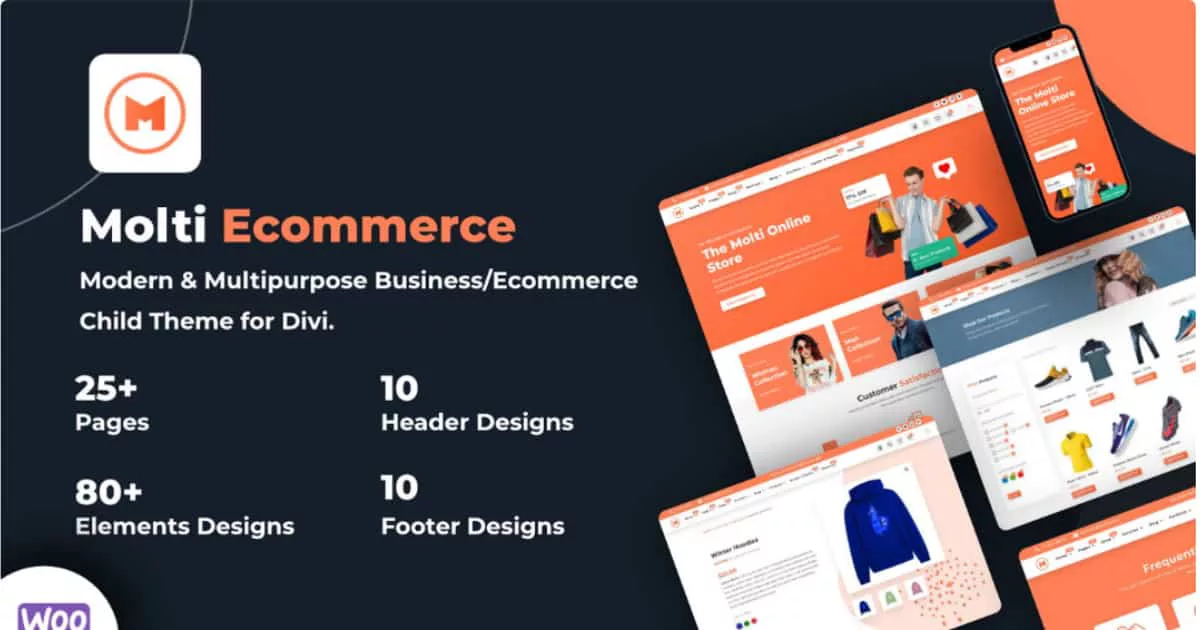
Molti Ecommerce Divi Child Theme is perfect when the site is not just a store. It works best for businesses that need a complete website first, and ecommerce second. Think service businesses that also sell products, agencies that sell packages, or companies that want both a strong brand presence and a shop.
This theme includes a large set of pages, plus WooCommerce support, which makes it easier to build a website that feels complete. Instead of forcing everything into a “shop first” layout, we can build proper business pages like about, services, pricing, and contact, then connect the store as a natural part of the website.
Molti Ecommerce is also useful for fast launches. If we’re building for a client with a deadline, importing demo content and swapping it is faster than starting from scratch. Then we can refine: rewrite the homepage sections, update CTAs, add trust signals like reviews, and build internal links for SEO.
For Divi users who plan to grow over time, this theme makes expansion easier. You can start with a simple brochure site and add store sections later, or launch the store first and build more content pages for SEO after.
Key Features of Molti Ecommerce Theme
-
Multipurpose + ecommerce: Works for business sites and also supports WooCommerce stores.
-
25+ total pages: More coverage for full websites (not just a homepage).
-
WooCommerce-ready setup: Designed for ecommerce features and store layout needs.
-
Extra pages vs. business version: Includes more pages and ecommerce focused templates.
-
Header & footer sets: Includes multiple header and footer designs for fast styling changes.
-
Responsive design: Layouts are built to work on all screen sizes.
-
Demo importer: Import the demo content and start editing right away.
-
No premium plugins required (as stated): Uses free plugins from WP repo for the demo setup.
-
Business + store flexibility: Good for agencies, renovation, services, and ecommerce projects.
-
Support approach: “Contact the author” style support through the marketplace.
Live Demo: Check out Molti Ecommerce Divi Child Theme Live Demo here
Pricing of Molti Ecommerce
Elegant Themes product highlight lists it at $25 for unlimited website usage + 1 year support/updates (price may vary during sales). Get Molti Ecommerce Divi Child Theme Now
5) Molti, Multipurpose Business Child Theme

Molti Divi Child Theme is a clean multipurpose Divi child theme for consulting, agencies, renovation, and service businesses that want a modern design without complexity. It gives you a professional layout structure so you can focus on your content, offers, and conversion points instead of building page sections from scratch.
It’s especially useful if you build multiple client websites, because it’s flexible enough to match different industries. Import the demo, adjust branding, replace content, and you’ll have a complete business website foundation that looks premium on mobile and desktop.
Key Features of Molti
-
Multipurpose business theme: Built for consulting, agencies, renovation, plumber, and service websites.
-
22+ designed pages: Helps you build a full business site fast.
-
6 header + 6 footer layouts: Useful when you want different site styles without rebuilding navigation.
-
One-click demo import: Quickly install the demo and replace content.
-
Responsive design: Works well across mobile, tablet, and desktop.
-
Color scheme control: Includes easy accent color change option (as described).
-
Modern sections included: Ready sections for services, CTAs, and business-style layout blocks.
-
Documentation included: Helps with setup and importing.
-
Subscription-based support model: Ongoing updates/support depend on active subscription (as stated).
-
Works for many niches: Great if you build multiple client websites.
Molti Divi Child Theme: Check out Live Demo Now.
Pricing of Molti
Currently shown at $25 (often discounted during sales). Get Now Molti Divi Child Theme
6) EMPIRE eCommerce Divi Child Theme
EMPIRE Child Theme is built for ecommerce brands that care about presentation. If your store relies on strong product images and a premium feel, EMPIRE gives you that clean layout style with typography and spacing that helps products stand out.
Many ecommerce sites feel crowded: too many elements, too many colors, messy grids. EMPIRE goes the opposite direction. It focuses on a modern, simple structure that makes browsing feel smooth. This style works well for fashion, home products, accessories, and any brand where product photos are a big selling point.
EMPIRE is also useful if you want an ecommerce theme that feels modern without complicated setup. It’s designed to look good on mobile and tablets, which matters because most ecommerce traffic is mobile now. A clean mobile experience usually improves add to cart and checkout completion.
If you want a store that feels “brand first,” EMPIRE is a strong option. We can still customize everything in Divi Theme Builder, but we start with a layout that already feels premium.
Key Features of the EMPIRE
-
Clean ecommerce layout style: Modern spacing and typography for a premium store look.
-
WooCommerce-focused: Designed for product pages and shop browsing experience.
-
Custom shop page design: Helps your store feel more unique than default templates.
-
Custom product layout: Built for modern product presentation.
-
Fly cart feature mentioned: Improves shopping flow by keeping cart access simple.
-
Variation swatches integration mentioned: Helpful for products with colors/sizes.
-
10+ layouts included: Multiple layouts to start faster.
-
Dark mode layouts included: Comes with dark mode options for a bold store style.
-
Responsive layouts: Designed to look good on mobile and desktop.
-
Great for product photography: Clean design helps images stand out.
EMPIRE Child Theme: Check out Live Demo Now
Pricing of the EMPIRE
Listed at $59 (based on your provided notes). Get Now EMPIRE Child Theme
7) Avanti, Multipurpose Divi Child Theme (60+ Pages / 9 Niches)
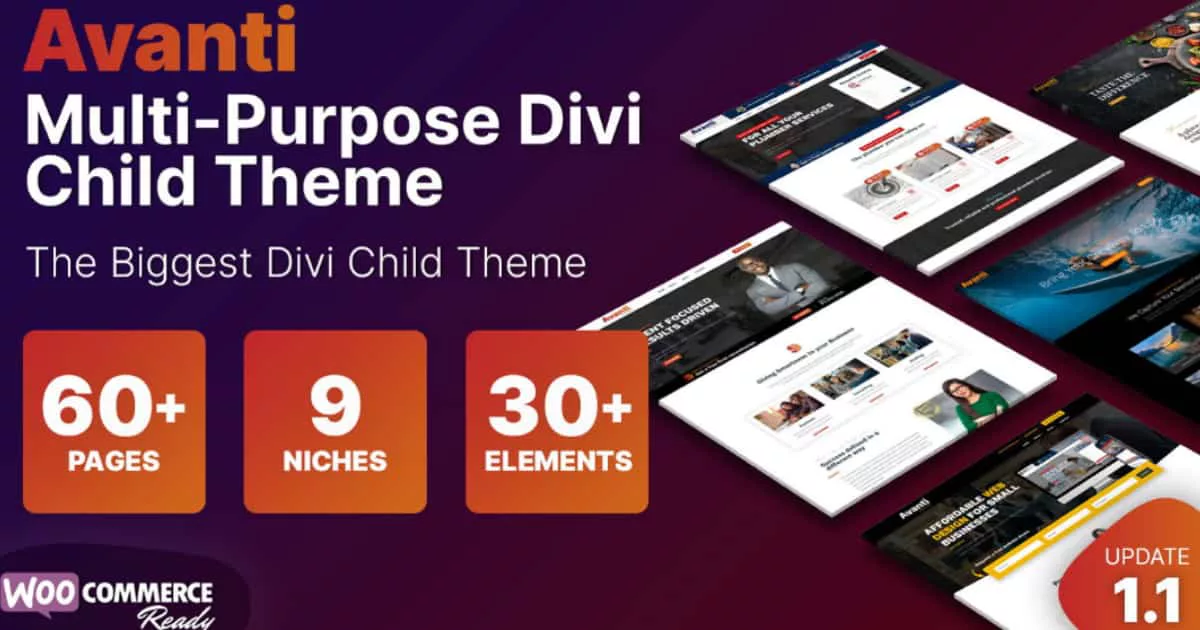
Avanti Divi Child Theme is a great option if you want one premium child theme that can support many website types. It includes lots of pages and prebuilt elements for multiple niches, so it’s useful for agencies, freelancers, and Divi users who build new websites often. Instead of buying a different theme for every project, you can reuse Avanti and customize it.
Because it comes with many ready layouts, the setup is fast: import a demo, swap your content, and launch. Then you can mix sections from different layouts to create something unique, which saves time while still giving you a custom looking Divi site.
Key Features of the Avanti
-
60+ pages for 9 niches: Great if you build different types of websites often.
-
WooCommerce integrated: Works for ecommerce projects as well.
-
One-click demo import: Install and start editing quickly.
-
4 custom slide-ins: Useful for lead capture, contact prompts, and CTA banners.
-
Flip box layouts included: Good for services, features, and pricing highlights.
-
5 prebuilt headers & menus: Helps you launch faster with consistent navigation.
-
30+ prebuilt elements: Drop elements anywhere (sections, blocks, and styled components).
-
Time-saving setup: Designed to save time and reduce design work.
-
Documentation included: Step-by-step help for installation and usage.
-
Support included (as described): Creator focuses on fast, personal support.
Live Demo: Checkout the Avanti Divi Child Theme Live Demo Here.
Pricing of the Avanti
Listed at $35 (based on your provided notes). Get Avanti Divi Child Theme Now
Learn More: Milly Multipurpose Child Theme: A Deep Dive Into Its Premium Features
8) Atelier Child Theme For Photographers, Creatives & Makers
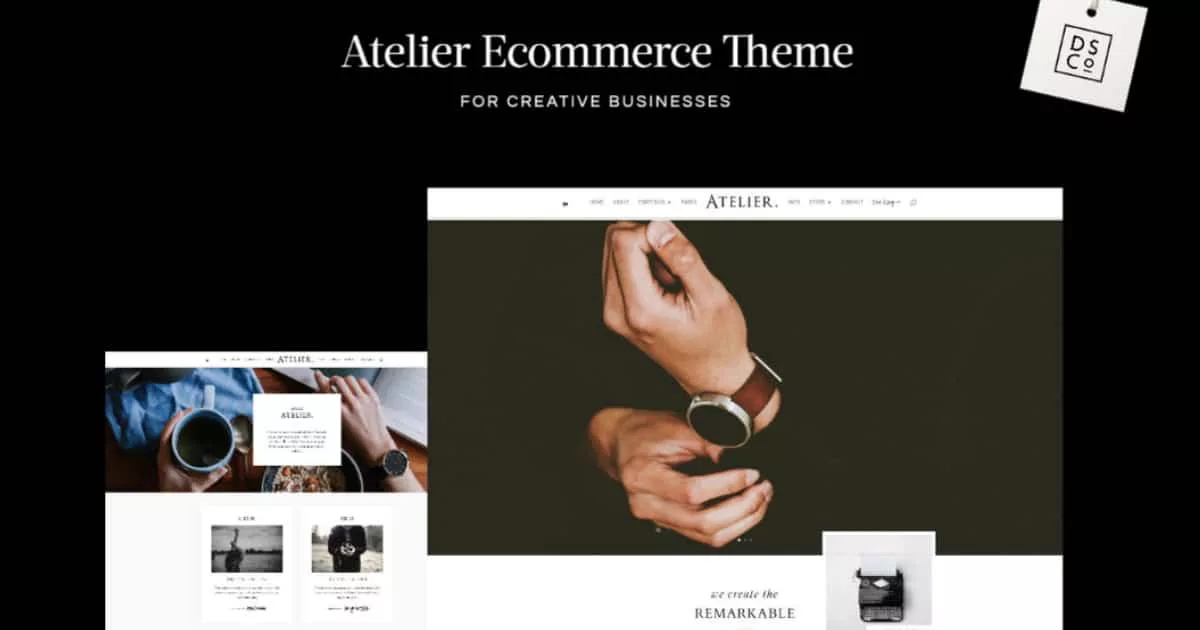
Atelier Child Theme is made for creatives who want a refined design. Photographers, makers, artists, and creative studios usually need the same thing: a site that makes images look premium and gives visitors a clear way to browse work.
This theme is strong when the portfolio is the main feature. It includes multiple gallery styles so your work doesn’t look repetitive, and the overall design keeps the focus on visuals. The monochrome base also makes branding easy because we can add your colors, fonts, and style without fighting the original design.
Atelier is also useful if your creative brand sells something. It includes an optional WooCommerce area, so you can add a shop for prints, products, or services without needing a separate ecommerce theme.
If your website is “visual-first,” Atelier is the type of theme that makes your work look more valuable. Clean layout and good spacing often makes a huge difference for creative brands.
Key Features of the Atelier
-
Made for creatives: Designed for photographers, makers, artists, and creative brands.
-
16 unique layouts: Gives variety for different page styles and sections.
-
3 gallery styles: Includes slider, mosaic, and full-width gallery options.
-
2 blog page styles: Useful if you want a blog that matches your portfolio look.
-
Optional WooCommerce area: Great if you sell prints, products, or creative services.
-
Monochrome base styling: Easy to brand with your own colors and fonts.
-
Google fonts included: Clean typography options without extra setup.
-
One-click demo site installation: Makes setup simple for beginners.
-
Step by step install guide: Helpful for smooth importing.
-
Support included: Includes theme support and guidance.
Live Demo: View the Atelier Child Theme Live Demo Now.
Pricing of the Atelier
Listed at $165 (based on your provided notes). Get Atelier Child Theme Now
9) Ecommerce Fashion Theme Divi WooCommerce Child Theme
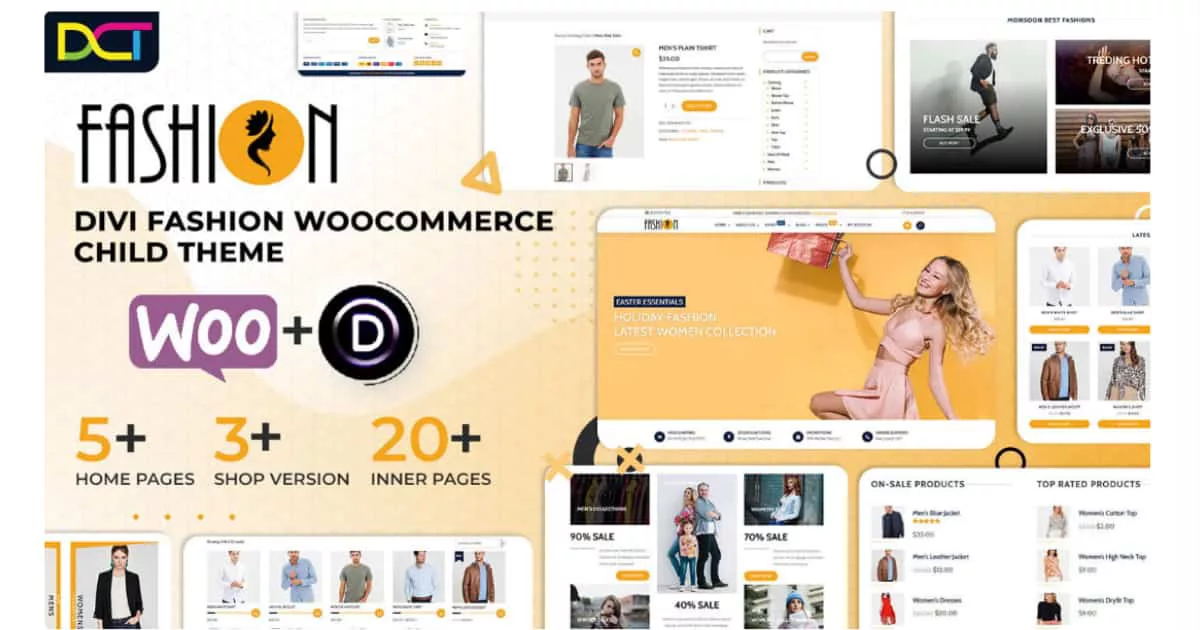
Ecommerce Fashion Theme is a premium Divi child theme made for fashion stores, clothing brands, boutiques, accessories shops, and modern ecommerce websites. It’s built for WooCommerce, so it’s a strong choice if your main goal is to launch a clean store design that looks trendy and organized from the start.
It also works well for Divi users who don’t want to spend days styling shop pages. You can import the demo, replace products and images, and then adjust the brand styling inside Divi. Since it’s a marketplace product, it includes unlimited website usage plus the standard 30-day refund policy and 1 year support/updates.
Key Features of the Ecommerce Fashion Theme
-
Homepage layout for artists: Designed to present artwork clearly with direct links to portfolio and shop.
-
Portfolio focus: Built for showcasing projects, artwork collections, and creative work.
-
Multiple portfolio layout options: Gives variety so galleries don’t all look the same.
-
WooCommerce shop integration: Lets you sell art prints, original pieces, or digital products online.
-
Shop page ready: Structured so you can list products and start selling faster.
-
About page layout: Helps you tell your artist story, add a portrait, and build trust with buyers.
-
Blog layouts included: Useful for sharing updates, new collections, and behind the scenes content.
-
Contact page included: Makes it easy for clients to request commissions or collaborations.
-
One click demo import: Faster setup even if you don’t know coding.
-
Easy customization in Divi: You can change colors, fonts, images, and text using the Divi Builder.
Ecommerce Fashion Theme: Check out Live Demo Here.
Pricing of the Ecommerce Fashion Theme
Listed at $70 (based on your earlier notes for this product line). Get Now Ecommerce Fashion Theme
Conclusion
Premium Divi child themes are one of the easiest ways to speed up your workflow without sacrificing the “finished” look that real businesses need. Instead of building the same pages from scratch every time, you start with a complete design system: homepage sections, inner pages, consistent fonts and spacing, and in many cases, WooCommerce templates that make your shop feel more modern from day one.
The smartest way to choose is simple: match the theme to your goal. If you’re building an ecommerce site, focus on themes with shop layouts, product page styling, and cart or checkout templates. If you’re building a service business or agency site, look for strong service sections, case study areas, and clear calls to action. For portfolios and creative brands, prioritize clean galleries, strong typography, and layouts that let your visuals do the talking.Before you buy, open the live demo and scroll, check the pages you actually need, and confirm what’s included on the listing, like support terms and updates. The right premium Divi child theme should feel like a shortcut to a complete website, not another project you still have to “finish later.”
Submit a comment
Comments are read before they appear. Your email is not published.
Thanks. Your comment is waiting for review and will appear here once it is approved.