
Best Divi Layout Packs for Agencies & Marketing Websites
We may earn a commission from affiliate links in this post. Disclosure policy
If you want a divi layout that looks like a real agency brand, choosing the right layout pack matters more than effects. This guide compares the best agency-focused packs (Design Agency, Web Agency, Advertising Agency, Marketing Agency, Digital Marketing, and Marketing) so you can launch a polished divi website fast, win trust, and turn visitors into leads.
Why this is worth reading: You get clear key features, benefits, pros and cons, weaknesses, pricing guidance, and real best-for recommendations. You will know exactly which divi layout fits your deliverables before you commit.
Agency-ready Divi layout pack checklist
A strong divi layout for creative agencies starts with structure. The best packs include a clear service flow, proof sections, and an easy conversion path. For agency work, look for:
- Home + Services + Contact as the minimum
- Portfolio or Case Studies to build trust
- A Landing page for campaigns and ads
- A Blog layout if you plan to publish content
- Careers if you are hiring or scaling
A professionally designed pack saves hours because it already handles spacing, typography, and content blocks. That is how you deliver faster without sacrificing quality.
Learn More: Top Divi Child Themes for SEO Agencies and Marketers
Quick comparison table: best Divi layout packs for agencies
| Pack | Best for | Pages included | Key features | Main weakness |
|---|---|---|---|---|
| Web Agency | Selling services + pricing fast | Home, Landing, Services, Pricing, Portfolio, Careers, Contact | Conversion-first structure, pricing-ready | Less visual storytelling |
| Design Agency | Portfolio-first agencies | Home, Landing, About, Blog, Contact, Portfolio, Case Study, Projects | Strong showcase and case structure | Needs stronger CTAs added |
| Advertising Agency | Bold branding and campaigns | Home, Landing, About, Blog, Contact, Services, Portfolio, Project, Service page | High impact design trends | Can feel too loud for some brands |
| Marketing Agency | Illustration-first modern agencies | Home, Landing, About, Blog, Contact, Services, Service page, Portfolio | Differentiation without stock photos | Style not for every niche |
| Digital Marketing | Content + hiring + modern look | Home, Landing, About, Blog, Contact, Services, Portfolio, Careers | Great for content marketing | Proof blocks should be added |
| Marketing | Project page + services combo | Home, Landing, About, Blog, Contact, Services, Service page, Portfolio, Project | Practical pages for agencies | Needs brand tuning |
Open each pack and Check Live Demo so you can confirm the vibe before you import anything.
Web Agency layout pack: best for pricing and service selling
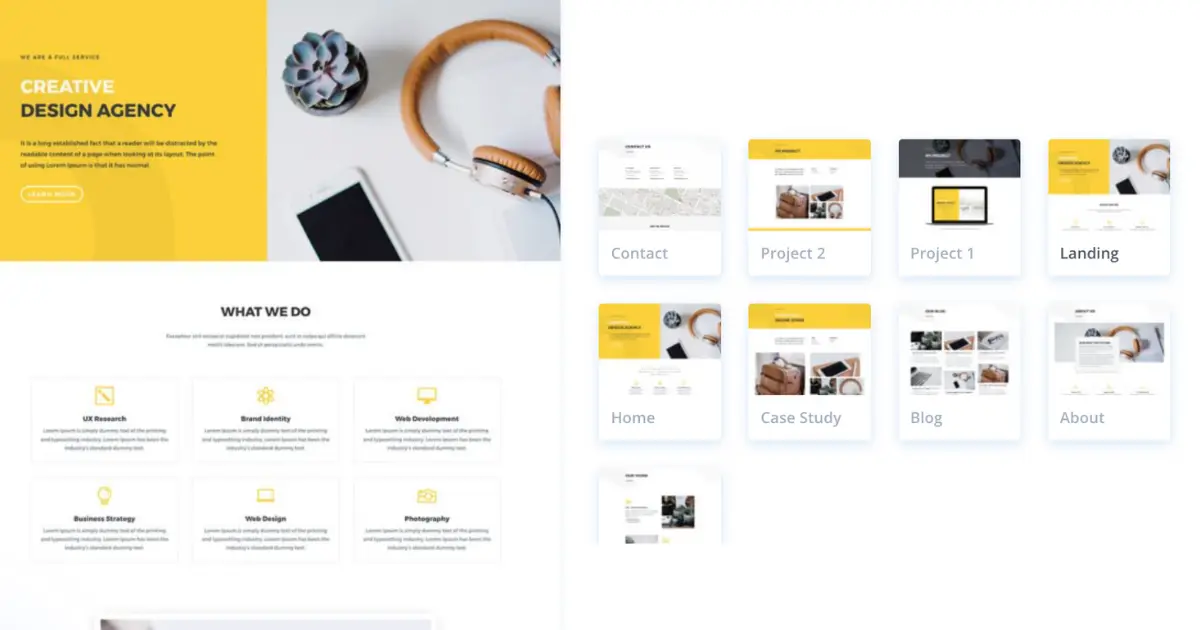
Web Agency is the most business-ready choice because it includes a Pricing page and a Services page that are already structured for selling. If you want leads fast, this is the safest start for a marketing agency site.
Key features of the Web Agency layout pack
- Pricing layout built for decision-making
- Services page with clear CTA placement
- Portfolio page for proof
- Careers page for growth teams
Benefits of the Web Agency layout pack
- Faster sales funnel setup
- Easier package positioning
- Clean structure for web design and performance-focused agencies
Pros
- Clear conversion flow
- User-friendly page structure
- Easy to customize without redesigning everything
Cons
- Not the flashiest template by default
- Needs strong visuals and tighter copy to feel premium
Agency layout pack Best for
Agencies selling retainers, SEO, paid ads, funnels, or full-service digital marketing agency packages
Pricing of the Web Agency Layout Pack
This layout pack is free for Divi users and is available in the Divi Library.
Design Agency layout pack: best for portfolios and case studies
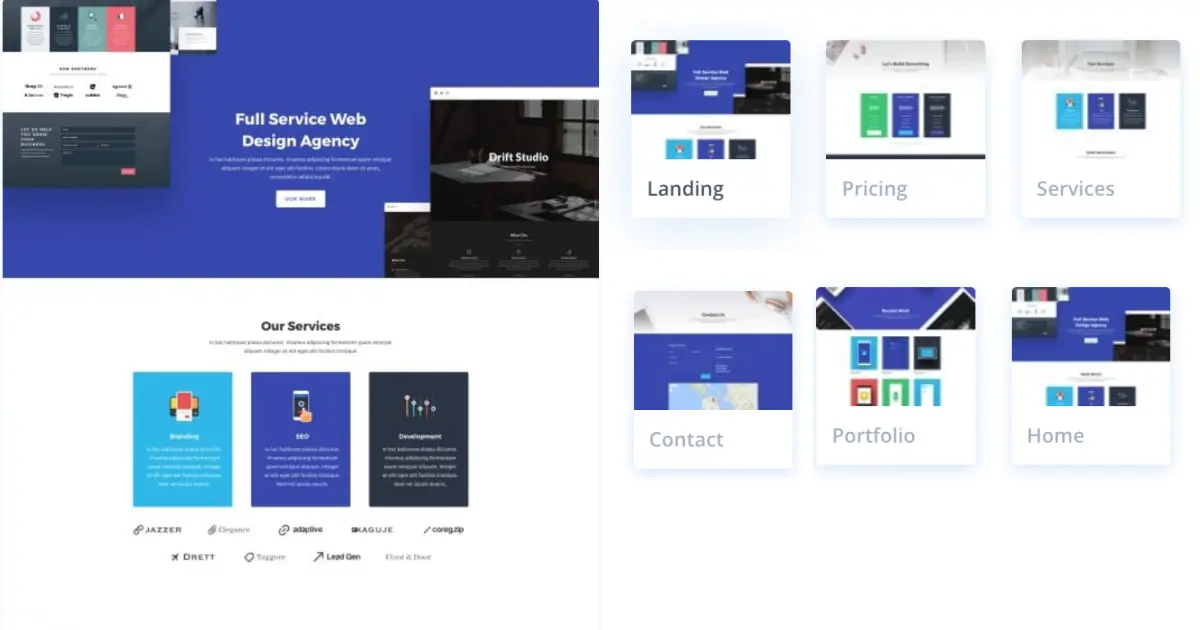
Design Agency is the best pick when your agency wins by showing work. It includes a Case Study page and Project pages, which makes your proof feel like a real showcase.
Key features of the Design Agency layout pack
- Case Study page for storytelling
- Multiple project layouts
- Portfolio page built for credibility
Benefits of the Design Agency layout pack
- Easier to sell high-ticket creative work
- Strong trust building through proof
- Great foundation for a portfolio-first layout library
Pros
- Strong visual presentation
- Works well for creative agencies
- Feels professionally designed
Cons
- CTAs need to be strengthened
- Service positioning needs to be clearer on the landing sections
Design Agency layout Best for
Branding studios, design teams, agencies with strong visuals and outcomes
Pricing of the Design Agency layout
This layout pack is free for Divi users and is available in the Divi Library.
[Check Out Live Demo
](/go/web-agency-landing-page-live-demo/)Learn More: 12 Best Divi Child Themes for Digital Agencies
Advertising Agency layout pack: best for bold branding and campaign style agencies
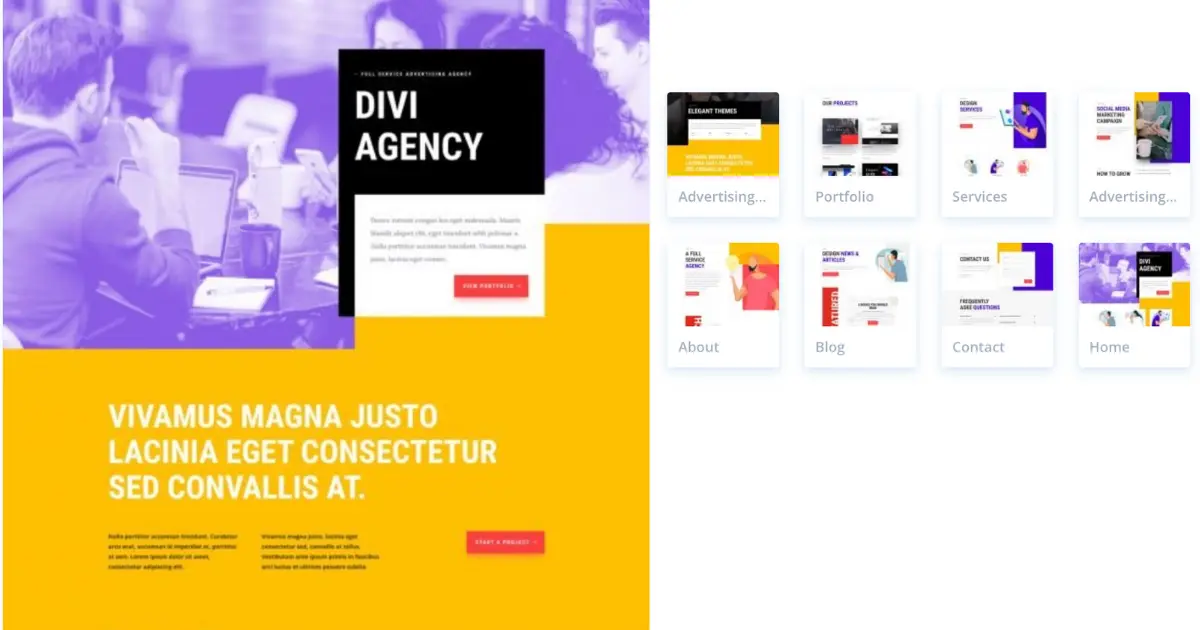
Advertising Agency is the best fit when your client wants attention and bold creative. It includes dedicated pages for projects and services, and the style supports a strong first impression.
Key features of the Advertising Agency layout pack
- Dedicated project structure
- Service pages built for campaign work
- Bold typography and creative layout choices
Benefits of the Advertising Agency layout pack
- Strong differentiation in competitive niches
- Great for agencies pitching campaigns
- Makes your agency look established quickly
Pros
- High impact visuals
- Great for agencies with lots of work to show
- Page variety supports many service lines
Cons
- Can feel too intense for conservative brands
- Requires careful font and color tuning
Advertising Agency layout best for
Any advertising agency that runs campaigns and needs a strong portfolio and service structure
Pricing of the Advertising Agency
This layout pack is free for Divi users and is available in the Divi Library.
How to Find, Use Use and Customize It
Marketing Agency layout pack: best for illustration first modern branding
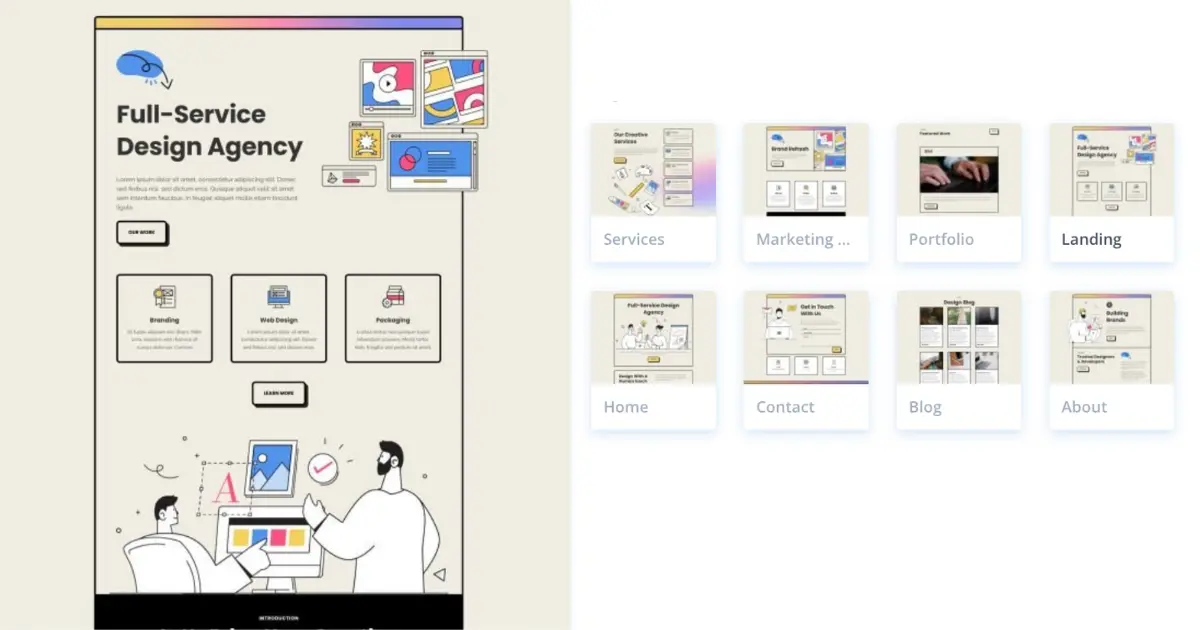
Marketing Agency is a strong choice when you want to look unique without relying on stock photos. The illustration style makes a divi layout feel modern and memorable.
Key features of the Marketing Agency layout
- Illustration-based sections
- Services plus dedicated service page
- Portfolio layout for proof
Benefits of the Marketing Agency layout
- Differentiation without custom photography
- Stylish and modern positioning
- Helps you win new clients with a distinct look
Pros
- Clean design and clear sections
- Good base for service positioning
- Works well with simple CTA blocks
Cons
- Illustration style may not fit every niche
- You may need to add more testimonial proof sections
Marketing Agency layout pack Best for
Social media, growth marketing, brand-light service businesses, and a divi social media consultant site
Pricing of the Marketing Agency layout
This layout pack is free for Divi users and is available in the Divi Library.
How To Use Pre-made Layout + Video Guide
Digital Marketing layout pack: for content, careers, and agency growth
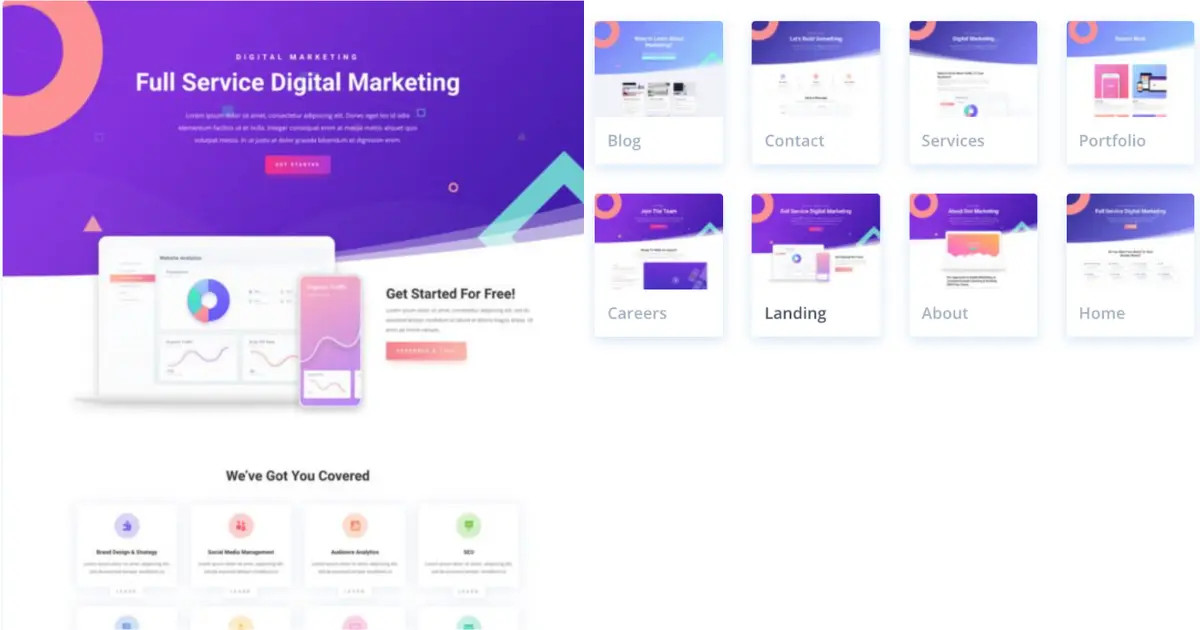
Digital Marketing works best for agencies that publish content and hire. The Careers page is a major advantage and supports real growth marketing workflows.
Key features of the Digital Marketing layout
- Careers page included
- Blog-ready structure
- Services and portfolio pages included
Benefits of the Digital Marketing layout
- Better recruiting funnel
- Easier content publishing
- Strong base for content marketing and seo growth
Pros
- Great page mix for scaling teams
- Modern, readable layout system
- Good for multi-service agencies
Cons
- Proof blocks should be added for trust
- CTA sections need tightening to boost conversions
Digital Marketing layout Best for
Agencies investing in inbound marketing, hiring, and long-term authority
Pricing of the Digital Marketing layout
This layout pack is free for Divi users and is available in the Divi Library.
Marketing layout pack: for services plus project pages
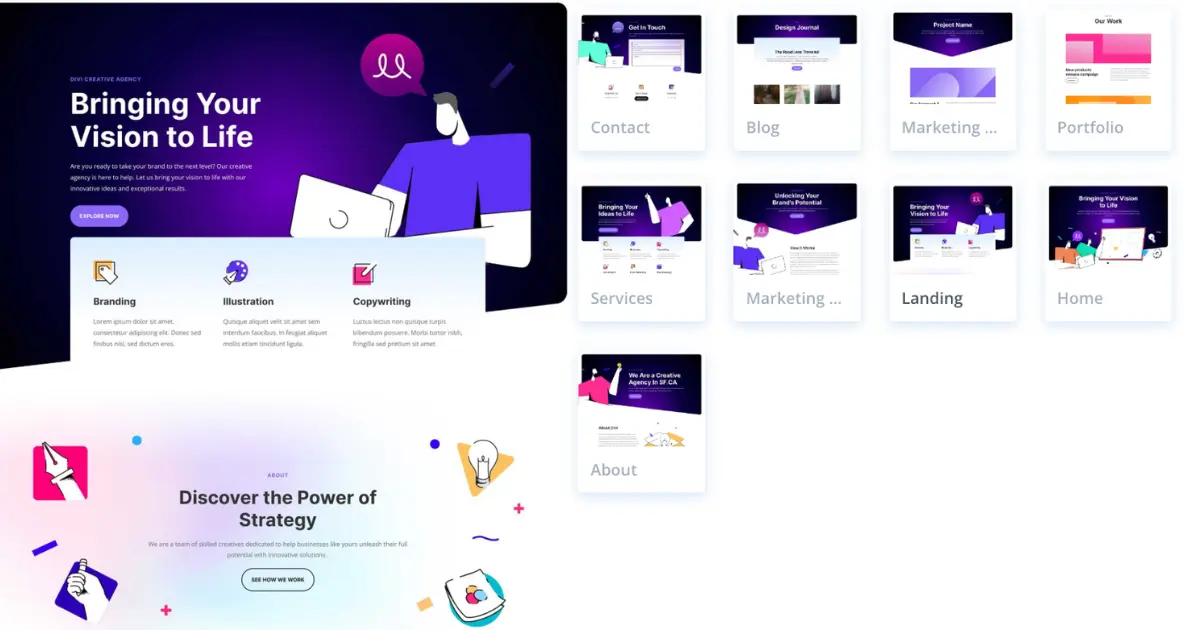
Marketing Layout is the practical choice when you want service pages plus a project page built in. This helps when you sell deliverables and want a clean case structure.
Key features of the Marketing layout
- Marketing project page included
- Service page and services overview
- Strong agency site structure
Benefits of the Marketing layout
- Great for agencies selling project-based work
- Easy to build a repeatable listing of past work
- Supports a clear conversion path when CTAs are added
Pros
- Practical page lineup
- Works for many niches
- Easy to turn into a repeatable website template
Cons
- Brand tuning needed to feel premium
- Slight overlap with Digital Marketing pack
Pricing of the Marketing layout
This layout pack is free for Divi users and is available in the Divi Library.
How To Use Pre-made Layout + Video Guide
Free Divi vs premium Divi: agency pricing guidance and what to choose
A quick and honest breakdown: free divi experiments are fine for testing, but agencies usually prefer stability and consistent access. If you build client sites often, a premium divi approach makes the workflow smoother because you can reuse sections and keep everything consistent.
If you want the cleanest path, start with Elegant Themes so you can access official packs and updates. That protects your workflow and reduces rebuilds.
For efficiency, keep your header consistent, save your best sections in the divi library, and only add one plugin if you truly need it. Too many plugins slow down performance and complicate maintenance for designers and developers.
Conclusion
The fastest way to build a high converting agency site with Divi is simple: pick a layout pack that matches your business goal, confirm the style in the live demo, then customize the offer and proof so it feels uniquely yours.
If you want the safest all-round choice, start with the Web Agency for its pricing and service selling flow. If your work sells through visuals, go with the Design Agency for portfolio and case studies. Need bold creative energy? Choose the Advertising Agency. Want a modern illustration-first brand look? Marketing Agency is a strong fit. For agencies that publish content and hire, Digital Marketing is the best foundation. And if you want services plus a project page in one system, Marketing is the practical pick.Now take the next step: open the Live Demo for your top two packs, choose the one that best fits your niche, and then Get Divi and import the layout pack. Start by editing the homepage hero, services section, and primary CTA, then add testimonials and portfolio proof. Do that and you will launch faster, look more credible, and turn more visitors into leads.
Submit a comment
Comments are read before they appear. Your email is not published.
Thanks. Your comment is waiting for review and will appear here once it is approved.