
Create a Transparent Sticky Header in Divi Using Divi Lover’s Free Layout
We may earn a commission from affiliate links in this post. Disclosure policy
Are you struggling to create a transparent sticky header in Divi 5? Many users face this challenge when trying to design a clean and modern website header that looks professional and works smoothly.
Don’t worry we have the perfect solution for you. Divi Lover offers a free pre-made transparent sticky header that integrates perfectly with Divi. In this tutorial, we will guide you step by step on how to download, install, and use Divi Lover’s free transparent sticky header in Divi. By the end, you’ll have a beautiful and functional sticky header running on your website without any hassle.
How to Download Transparent Sticky Header of Divi Lover’s Free Layout
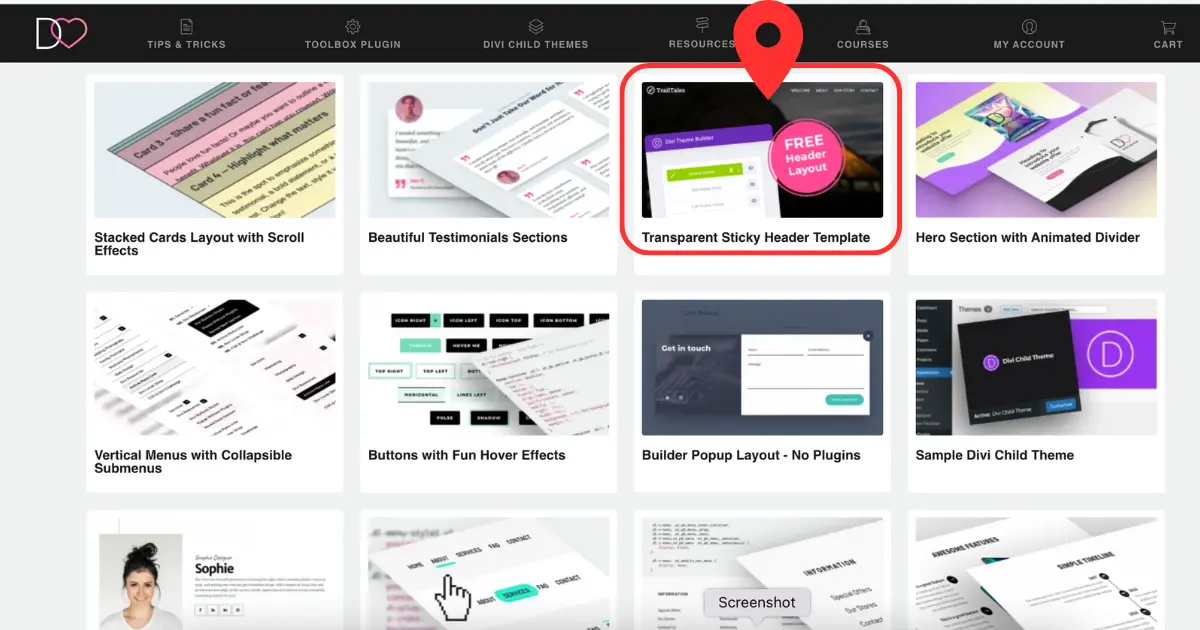
Downloading this layout from the Divi Lover website is very simple. If you don’t know how to download it, we already have a well-explained blog post and tutorial that you can follow step by step.
In the screenshot below, you can see the exact layout you will download for the sticky transparent header. For the complete downloading process, please check the detailed tutorial.
Unzip the Downloaded Sticky Header on Your PC
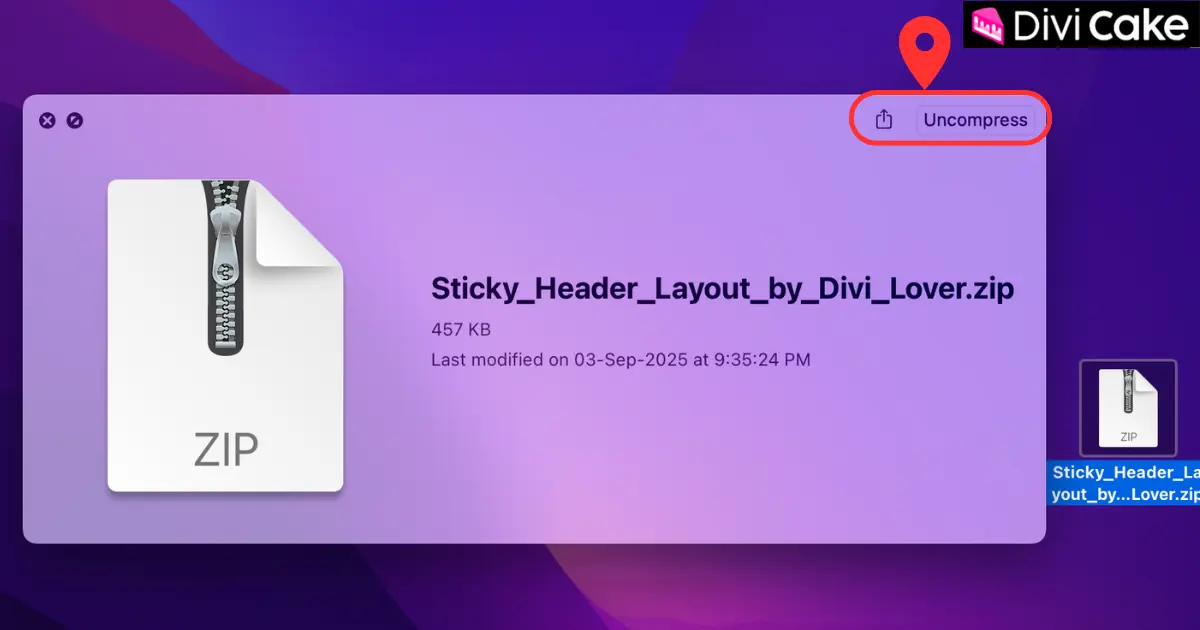
It is important to note that you cannot upload the sticky header directly to the Divi Library in its downloaded format.
First, you need to unzip the sticky header folder. After unzipping, open the folder and inside you will find a .json file. This is the file we will import and use in the next step.
How to Import the Transparent Sticky Header Layout to Divi 5
Importing a free transparent header layout into Divi 5 is quick and simple. It works just like importing any other Divi layout. We’ll walk you through it step by step to make it easy and remove any confusion.
We are using the latest version of Divi (Divi 5). If you’re on an older version, please update first for the best experience.
Follow the steps below:
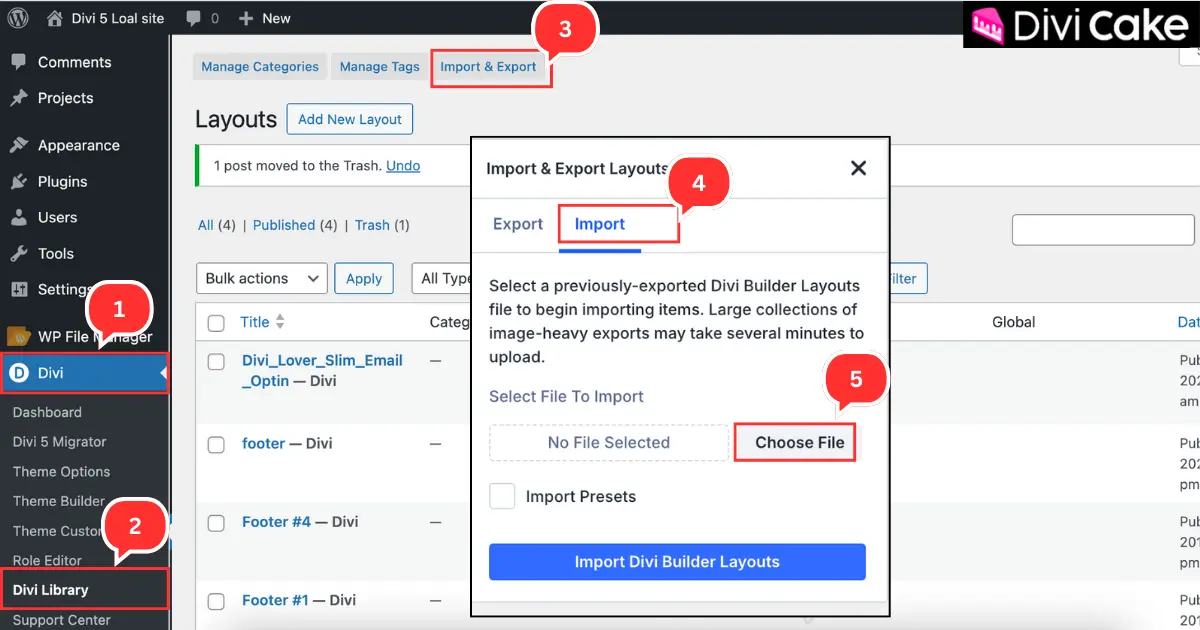
- Open your WordPress Dashboard and go to Divi
- Click on the Divi Library.
- Click Import & Export.
- Open the Import tab.
- Click Choose File.
Open the Sticky Header Folder
- Open the Sticky Header by Divi Lover folder.
- Select the file named Sticky_Header_Layout.json.
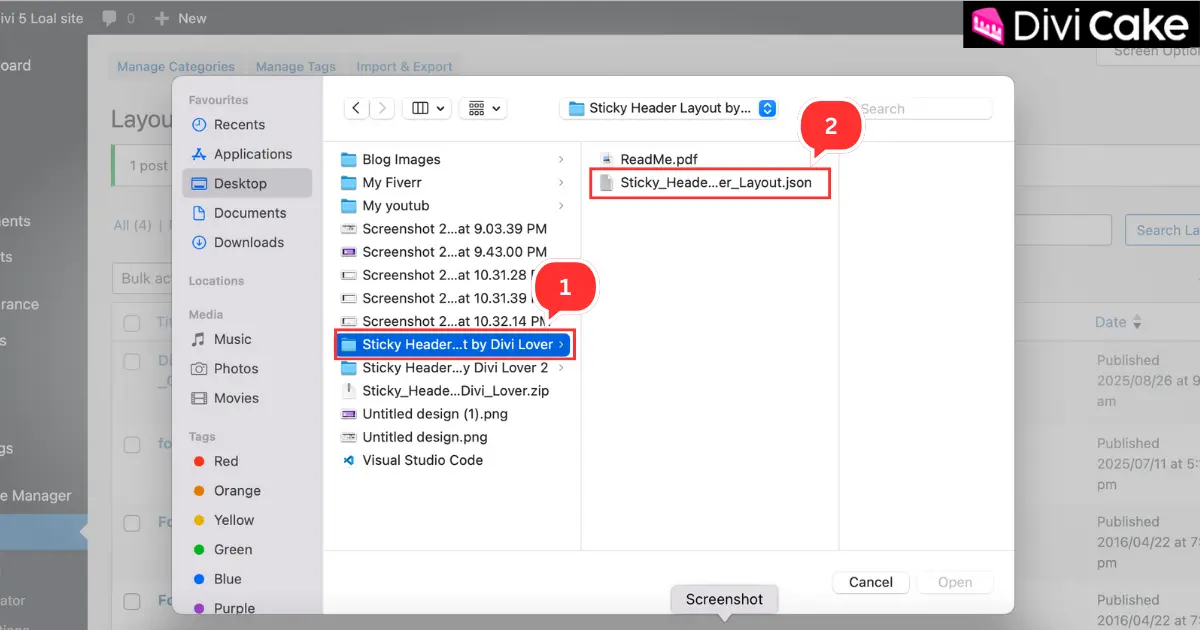
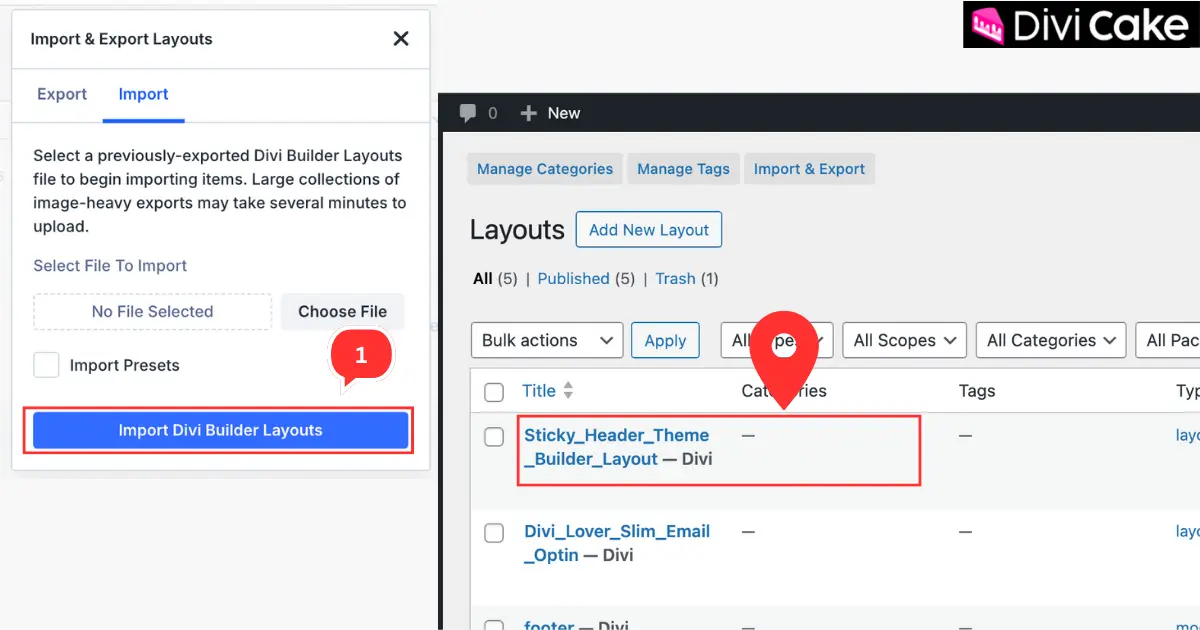
- Click on the Import Divi Builder Layouts button.
The screenshot below shows that the Transparent Sticky Header Layout has been successfully uploaded to the Divi 5 Library.
How to Add the Sticky Transparent Header Layout to the Divi 5 Header
In the previous step, we successfully imported the header layout into the Divi Library. But the process does not end there—you still need to set it as the Global Header of your website. If you are a beginner, this part might seem confusing, so let’s walk through it step by step.
Follow these steps:
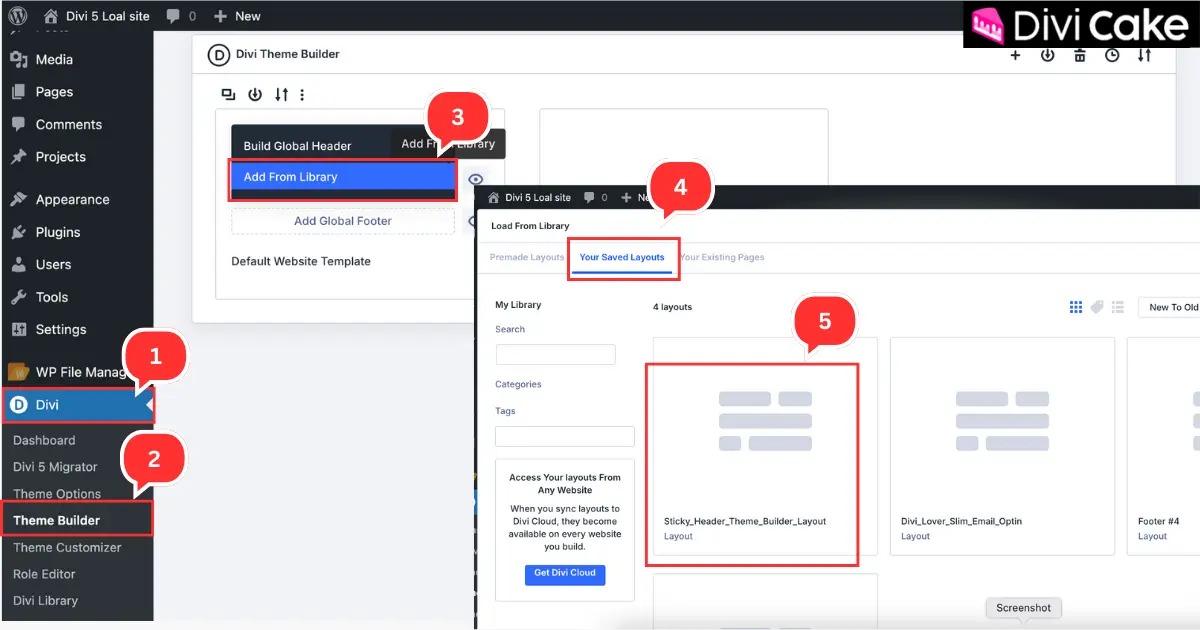
- Click on Divi in your WordPress Dashboard.
- Go to Theme Builder.
- Click on Add From Library.
- Select Your Saved Layouts.
- Choose Sticky_Header Layout. It will automatically be added as your Global Header.
Customizing the Transparent Sticky Header Layout
Customizing the added sticky transparent header layout can take some time, especially if you are a beginner. That’s why we have prepared a complete tutorial that guides you from start to finish. You can follow it step by step and make the changes you need..
Read More: How to Create a Custom Global Header with Divi 5
Final Thoughts
Adding a transparent sticky header to your website with Divi Lover’s free layout is a simple way to improve both design and user experience. With just a few steps, you can transform your site’s style and make navigation easier for your visitors.
Don’t hesitate to experiment with the layout try changing the colors, fonts, and behavior until it perfectly matches your brand.
If you found this tutorial helpful, we’d love to hear from you! Share your experience in the comments, subscribe for more Divi tutorials, and let us know what other features you’d like us to cover.
Learn More: 20 Unique Divi Header and Footer Layout Design Packs in 2025



Submit a comment
Comments are read before they appear. Your email is not published.
Thanks. Your comment is waiting for review and will appear here once it is approved.