
Divi 5 Official Release Date Confirmed: Full 2026 Timeline, and Beta Updates
We may earn a commission from affiliate links in this post. Disclosure policy
Divi 5 is no longer a mystery project that is “coming someday.” Elegant Themes has publicly confirmed the official release is scheduled for February 26th, 2026, when they plan to remove the beta label. If you build client sites, run a business site, or maintain multiple Divi installs, this update matters because it changes what “upgrade for Divi” actually looks like in 2026: a real timeline, a clearer Divi 5 migration path, and a growing ecosystem of plugins for Divi 5.
In this guide, you will get an updated, practical roadmap view, what to expect from Divi 5 today, how the builder changes impact real projects, and how to plan a safe upgrade from Divi 4 without breaking production websites.
Divi 5 release date: what is the official release date for Divi in 2026?
Elegant Themes has stated that the official release date for Divi 5 is February 26th, 2026, and they are specifically framing that moment as “removing the beta label.” This is the clearest release date for Divi 5 we have had, and it turns the Divi 5 update conversation into planning instead of guessing.
Here is the key practical meaning: if you are already using Divi 5, nothing “magical” changes on that day, but the release date signals that the official Divi 5 is entering a mainstream update path. Elegant Themes also confirmed continued Divi 4 support for at least six months after the official release, which matters a lot for agencies maintaining legacy Divi 4 websites.
To say it exactly once in plain terms, the beta label on February 26th is the milestone that most site owners should treat as the beginning of a structured upgrade window, not a forced overnight switch.
Divi 5 today: should you use Divi 5 right now for new websites?
Divi 5 today is already positioned by Elegant Themes as a recommended choice for building new websites, and they have shared that about 40% of customers are already choosing it. That is a meaningful adoption rate because it suggests the builder workflow is stable enough for many production builds, especially simpler marketing sites.
If you are starting a fresh project with the Divi theme, Divi 5 can be a smart default because you avoid the future step of converting an entire layout library later. In other words, you build on the newest foundation and reduce the need for a 4 to Divi 5 migration later. This also matters if you sell templates or deliver sites “built with Divi” for clients who want longevity.
That said, the decision to use Divi 5 should include one serious compatibility check: you must have plugins for Divi 5. Elegant Themes has acknowledged that some third party plugins were still catching up, although Divi 5 updates for third party tools have been arriving. If your stack is heavy on Divi plugins, advanced Woo modules, or niche add-ons, you should test first.
Learn More: Divi 5 Beginner’s Guide: How to Get Started
Public alpha vs public beta: what did Divi 5 public alpha prove, and what does Divi 5 public beta mean?
The simplest way to think about public alpha is “proof of core architecture,” and the simplest way to think about public beta is “usable for more people, with ongoing fixes.” Divi 5 has had a long runway, including Divi 5 public alpha testing earlier in the cycle, then the public beta stage that is now updated on a steady cadence.
If you are tracking milestones, it is fair to say 5.0 public alpha was released during the early rollout phase and helped validate the new engine before wider adoption. (This is the one time reference: Divi 5.0 public alpha.) From there, the public beta stage has been about tightening the builder experience, adding missing features, and reducing issues in Divi that only show up on real client builds.
In practical terms, public alpha builds are where you test the system direction, while public beta builds are where you test your real workflow, your Divi module usage, and your compatibility with Divi. If you maintain many sites, treat Divi 5 alpha builds as “lab only,” and treat public beta builds as “staging and low risk production only,” depending on the site.
Divi 5 Public Beta 9: what changed, and why should Divi users care?
Divi 5 public beta 9 is worth calling out because it is a concrete example of how fast the Divi 5 dev cycle has been moving. In the official release notes, Elegant Themes said Public Beta 9 included 119 bug fixes and improvements and introduced new features including Command Center plus new Menu Modules, Menu Looping, and Interactions.
Why does this matter if you are not a power user? Because frequent improvements reduce the risk of upgrading to Divi 5, and it also signals that the builder is still being actively refined right up to the release date. Elegant Themes also reiterated in the Public Beta 9 notes that the official release date for Divi 5 is set for February 26th and that they will keep addressing feedback until then.
This is also the best place to reference the cadence: they have stated they release new Divi 5 versions every two weeks, and each update improves on the last. That is relevant for planning because your “test window” can align with those two week steps.
Divi 4 or Divi 5: how do you choose the right version of Divi for each site?
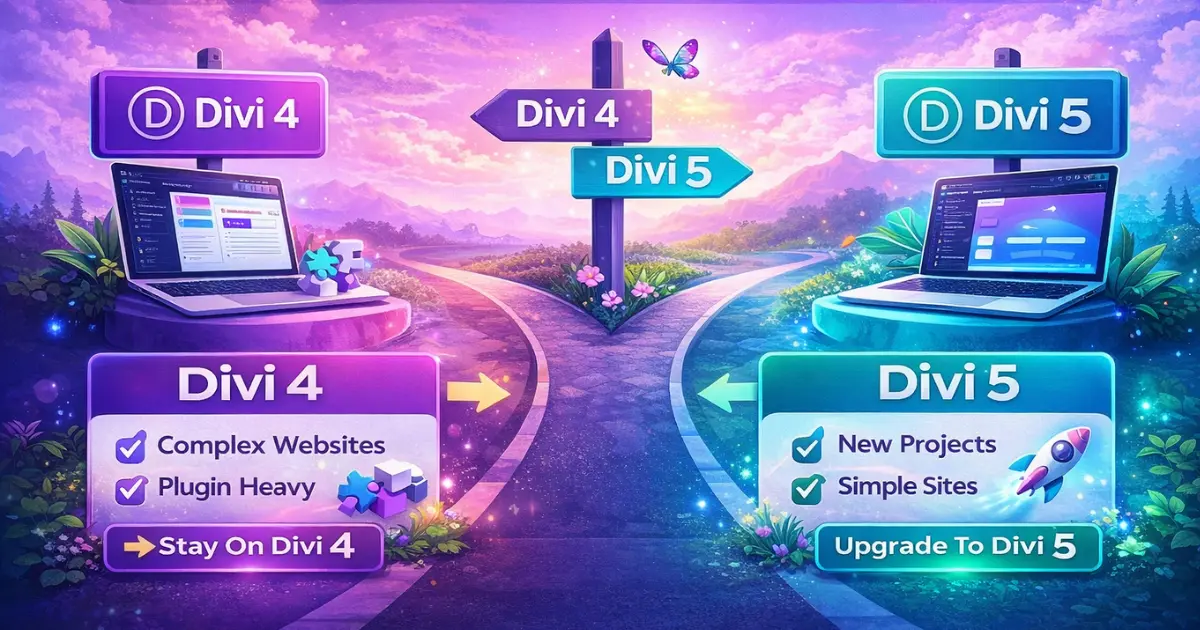
Many people want a single answer, but the reality is you may run a mixed fleet for a while. Elegant Themes themselves have been messaging that you can choose Divi 4 or Divi 5 depending on what works best, while they keep improving Divi 5. That framing is important because it reduces panic for anyone running existing Divi 4 sites.
Here is a practical decision rule: if the site is new, low dependency, and you control the environment, use Divi 5. If the site is an existing Divi 4 build with heavy third party add-ons, unique customizations, or sensitive conversions, keep it on existing Divi 4 until your staging tests prove the upgrade is safe.
The good news is that continued Divi 4 support has been explicitly promised for at least six months after the official release. That gives agencies time to evaluate the version of Divi they are using per project, not as one big switch.
Learn More: Divi 5 vs Divi 4: Top 10 Key Differences Explained
Divi 4 to Divi 5 migration: what is migrating from Divi 4 really like?
Divi 4 to Divi 5 migration is not just clicking updates and hoping for the best. It is a workflow that should include backups, staging, compatibility checks, and a clear rollback plan. Many people assume “migration from Divi 4” means a perfect conversion, but in reality, it depends on how complex the Divi 4 content is, how many third party modules you used, and how customized your layout logic became over time.
When migrating from Divi 4, you should think in terms of three layers: layout structure, styling, and dynamic features. Layout structure includes rows, sections, groups, and how each Divi module is nested. Styling includes global presets, spacing, typography, and responsiveness. Dynamic features include integrations, custom post templates, or plugin driven modules to Divi 5.
A safe approach is to migrate the website to Divi 5 on staging, validate key pages, confirm conversions, and then schedule a controlled launch. If something does not look right, you should be prepared to go back to Divi 4. That rollback mindset is the difference between “I tested Divi 5” and “I broke production.”
Need Help Migrating to Divi 5?
Divi 5 migrator tool and backward compatibility mode: do Divi 4 modules still work?
Divi 5 was designed with backward compatibility in mind, including a backward compatibility system meant to keep legacy modules operational before and after migration. This is crucial for real businesses because it reduces the risk that existing Divi 4 websites instantly stop working.
This is where the Divi 5 migrator tool and the concept of compatibility with Divi become central. In the best case, you convert cleanly and the site runs fully compatible with Divi 5. In the more common case for older sites, you may rely on a compatibility layer while you gradually refactor. This is why some users describe “restoring Divi 4 behavior” or needing a temporary “legacy Divi 4” mindset until everything is stable.
If you have a large library of Divi 4 modules, treat migration as a project. Export a test page, run your upgrade from Divi 4 on staging, check the frontend in Divi 5, and confirm that your Divi 4 modules still render correctly. If you use the Divi 5 migrator, document what changed, especially for global elements and templates, so your team can repeat the process across Divi 4 websites.
Settings in Divi 5: what feels different in the visual builder and the new Divi 5 interface?
Most users experience Divi through the visual builder, so the “feel” of settings matters. Divi 5 introduces a new Divi 5 interface that is meant to be faster and more modern, and many users report the builder experience feels smoother once they adapt. This is one reason Elegant Themes says it is “hard to go back” after you get used to Divi 5.
The biggest practical change is workflow speed and navigation. Better responsiveness inside the builder reduces friction when editing complex pages. This is also where you notice things like caching behavior and how the Divi css file system is handled. If you have ever fought slow editing on long pages, Divi 5’s structural improvements are the payoff.
This is the moment to include the exact phrase once: settings in Divi 5 should be reviewed carefully after migration, especially global defaults, presets, typography, and responsive breakpoints. If you are used to the original Divi 4 workflow, expect a short adjustment period, not a total relearn.
Issues in Divi: what can break during updating to Divi 5, and how to prevent it?
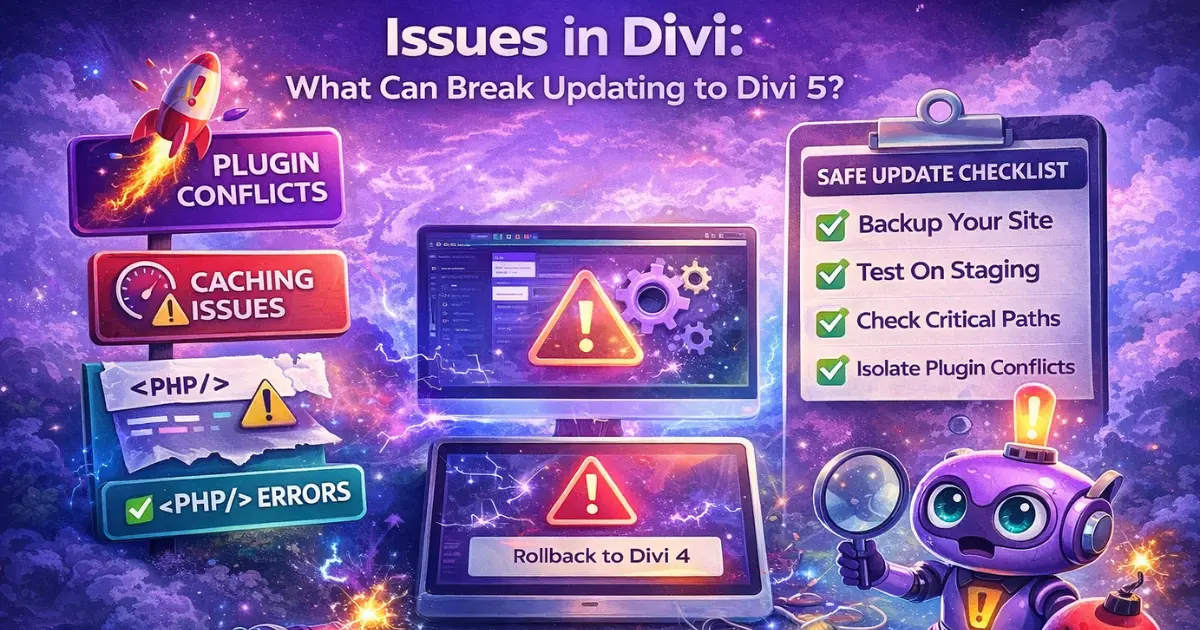
Let’s be honest, issues in Divi upgrades usually come from three sources: plugin conflicts, caching and minification mismatches, and legacy layout edge cases. Even in the official announcement discussion, Elegant Themes mentioned that save issues often point to PHP errors and can be caused by plugin conflicts, which is consistent with what most WordPress teams see in the real world.
To reduce risk, follow a predictable checklist. Backup first, staging second, test critical paths third, then deploy. Your “critical paths” include homepage layout, header and footer templates, lead forms, Woo product pages, and any landing pages tied to paid traffic. If any of those break, it does not matter how nice the builder feels.
If something looks off after updating to Divi 5, do not guess. Clear caches, disable optimization plugins temporarily, and isolate plugin conflicts. If you still cannot stabilize, go back to Divi 4, then re-test after the next public beta update cycle. That is exactly why the extended beta period and frequent releases exist.
Future of Divi 5: what the roadmap suggests about builder updates, Divi AI, and the Divi theme ecosystem
The roadmap is now clearer than ever: stabilize Divi 5, remove the beta label on February 26th, continue short term support for Divi 4, and keep shipping features fast. That is the practical roadmap most businesses need, because it answers “when” and “how” in one plan.
Now zoom out. The future of Divi 5 is also about ecosystem acceleration. When the core builder stabilizes, third party developers can confidently ship plugins for Divi 5, the Divi marketplace will see more Divi 5 ready products, and agencies can standardize processes around one modern stack. (This is the one time mentioned: divi marketplace.)
Divi AI is also part of that story because it sits on top of the builder experience. As Divi 5 becomes the full Divi 5 baseline, Divi AI improvements can be rolled out in a more predictable environment. Whether you use Divi AI for copy, layout ideation, or quick variations, it benefits from a faster editor and fewer interface bottlenecks.
This is why many teams see Divi 5 not as “Divi 4 with tweaks,” but as a new Divi that positions Elegant Themes to compete long term. That is the future of Divi, and it is why the official divi 5 release matters even if you do not upgrade every site on day one.
Conclusion
Divi 5 is no longer a “sometime later” upgrade. With the official plan to remove the beta label on February 26, 2026, Divi users finally have a clear target to prepare for. The biggest win is not just a smoother builder experience, it is the long term foundation Elegant Themes is building for speed, stability, and faster feature development.
Still, the smartest approach is not rushing every site to Divi 5 on day one. New projects can confidently start on Divi 5 today, while existing Divi 4 websites should be moved with a staging first mindset, careful plugin compatibility testing, and a rollback plan if anything behaves unexpectedly. If you follow that approach, the Divi 4 to Divi 5 transition becomes a controlled upgrade, not a risky gamble, and you will be in a great position to benefit from everything Divi 5 brings next.

Submit a comment
Comments are read before they appear. Your email is not published.
Thanks. Your comment is waiting for review and will appear here once it is approved.